-
You know, the boot partition or directory you are seeing is not the same thing as the Master Boot Record (MBR)--that's not visible in any common formatting tool.
If you make any changes here that are meaningful, you will definitely affect booting of your operating systems. And if you don't then all you are doing is making things more complicated. (Okay, you're getting more space, but it doesn't sound like that't really why you want to do this.) The only MBR that is read on boot is the one on the first drive on the primary IDE channel--so adding a new drive as master and making your current one slave means the MBR read on boot is the new one.
With Windows 9x (or DOS, or Win 3.x), it may not work at all. It generally needs to be on the first partition of the first disk. And it automatically assigns drive letters.
With Windows NT/2000/ME, moving the drive will probably give a BSOD on boot, as the OS looks to boot.ini to find where the rest of it is supposed to be--and won't find it.
And Linux will kernel panic. It will either try to find /etc/fstab and not find it, or will read it and not find itself where /etc/fstab says it should be.
I think the easiest way to do this with your new HD is to make it slave--and copy all your data to it. Then reformat the boot drive and re-install Windows leaving space for Linux. And when you install Linux, install lilo to the MBR. With most distros, Windows should be automatically added to the boot menu, but this route makes it simple to manually do so if it doesn't.
 Posting Permissions
- You may not post new threads
- You may not post replies
- You may not post attachments
- You may not edit your posts
-
Forum Rules


Lot of 500 Cisco 10-3145-02 QSFP-100G-CWDM4-S 100G CWDM4 QSFP28 Transceiver
$1500.00

Dell Intel X710-DA2 5N7Y5 Dual-Port 10GbE SFP+ PCIe 3.0 x8 Network Adapter
$27.50

NEW Sealed Cisco SFP-10G-LR 10GBASE-LR SFP+ 1310nm 10km *US Shipping*
$24.00
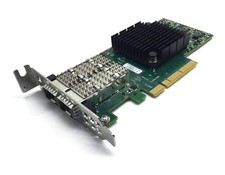
Dell Mellanox ConnectX-4 Lx CX4121C 020NJD Dual-Port 25GbE SFP28 NIC Low Profile
$35.00

SFP TO RJ45 TRANSCEIVER SFP MODULE COPPER SFP OPTICAL PORT TO RJ45 ETHERNET PORT
$7.99

Genuine Cisco SFP-10G-SR 0-2415-03 10 Gigabit Transceiver
$5.40

HP 560SFP+ 10GB 2-port PCIe NIC Ethernet ADAPTER 669279-001 w/ (2) 10GB SFP+
$16.99
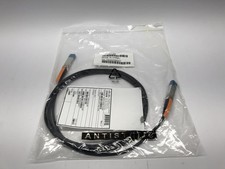
(Lot of 10) Genuine Cisco 10GBASE-CU SFP+ Cable SFP-H10GB-CU3M / 37-0961-03
$99.95
20 X New Cisco QSFP-100G-FR-W2 10-3659-01 Module Hologram Brand New 20 Pack
$299.00

HPE 560SFP 2x 10Gb SFP+ PCIe Both Profile Network Card 669279-001 665247-001
$14.90



 Reply With Quote