-
amsn (beginner)
I heard of amsn as a clone for messenger...I downloaded from:
http://packages.debian.org/cgi-bin/download.pl
Is it the right package for my pentium 4 laptop? (First question)
How do I install it? (Second question)
Yes, I am a newbie.... 
-
Have you tried GAIM which is in Knoppix? Another would be kopete. I've never used amsn, but debian packages install with:
Code:
dselect update
apt-get -s install amsn
(remove the -s for simulation if output looks ok)
This would have downloaded and installed the package in one go.
As you already have the package you can do in the directory it's in:
Code:
dpkg -i packagename
-
I am using gaim...but conflicts with my soundcard I guess....
Thats why I wanted to try amsn...Thanks Markus...I will try it and be back to you.

Originally Posted by
Markus
Have you tried GAIM which is in Knoppix? Another would be kopete. I've never used amsn, but debian packages install with:
Code:
dselect update
apt-get -s install amsn
(remove the -s for simulation if output looks ok)
This would have downloaded and installed the package in one go.
As you already have the package you can do in the directory it's in:
Code:
dpkg -i packagename
-
Senior Member
registered user
I'd suggest you try Kopete before trying ot install something else. Personally I've been pretty impressed with Kopete (if there was a Windows version, I'd use it!).
Kopete should be in the menu, or you can just type "kopete &" in a console.
HTH
-
I cant find Kopete in Knoppix 34...can this be possible?
I tried looking around menus but could not find it.
In command line how can I check if kopete is in this distro?
Thanks.
Originally Posted by
c123
I'd suggest you try Kopete before trying ot install something else. Personally I've been pretty impressed with Kopete (if there was a Windows version, I'd use it!).
Kopete should be in the menu, or you can just type "kopete &" in a console.
HTH
-
Originally Posted by
fabiand
I cant find Kopete in Knoppix 34...can this be possible?
I tried looking around menus but could not find it.
In command line how can I check if kopete is in this distro?
To be honest I haven't even booted up 3.4 yet 
To find out if it's installed: COLUMNS=150 dpkg -l|grep kopete
or: apt-cache policy kopete
or as c123 said: kopete &
To find it with apt first do: dselect update and then: apt-cache search kopete
To see info about it: apt-cache show kopete
To see if it would install without problems: apt-get -s install kopete
To install: apt-get install kopete
-
I got it working!
I never interacted through terminal, but with your advice was very easy....
I just had to install some dependencies.
Really you helped me a lot in this one....
Thanks!
Originally Posted by
Markus
Originally Posted by
fabiand
I cant find Kopete in Knoppix 34...can this be possible?
I tried looking around menus but could not find it.
In command line how can I check if kopete is in this distro?
To be honest I haven't even booted up 3.4 yet
To find out if it's installed:
COLUMNS=150 dpkg -l|grep kopete
or:
apt-cache policy kopete
or as c123 said:
kopete &
To find it with apt first do:
dselect update and then:
apt-cache search kopete
To see info about it:
apt-cache show kopete
To see if it would install without problems:
apt-get -s install kopete
To install:
apt-get install kopete
-
You're welcome.
IMHO Linux's power does lie in the console, and a LOT of tasks are faster to do by writing a few commands. That said you could install synaptic if you prefer a gui for managing packages. Again I'm not sure if it's included in 3.4.
-
what does apt-get update do?
Because I am trying to install the flashplugin for mozilla....and didnt find some files....adviced me to run apt-get update....and now is doing something I dont know....
Originally Posted by
Markus
You're welcome.
IMHO Linux's power does lie in the console, and a LOT of tasks are faster to do by writing a few commands. That said you could install synaptic if you prefer a gui for managing packages. Again I'm not sure if it's included in 3.4.
-
Originally Posted by
Markus
Have you tried GAIM which is in Knoppix? Another would be kopete. I've never used amsn, but debian packages install with:
Code:
dselect update
apt-get -s install amsn
(remove the -s for simulation if output looks ok)
This would have downloaded and installed the package in one go.
As you already have the package you can do in the directory it's in:
Code:
dpkg -i packagename
where exactly do you put these commads when your running knoppix off the cd? do you even need them
Similar Threads
-
By cfish in forum MS Windows & New to Linux
Replies: 0
Last Post: 05-04-2005, 01:08 PM
-
By [DR DECIB3L] in forum General Support
Replies: 0
Last Post: 01-05-2005, 09:58 AM
-
By Philly_Blunt in forum General Support
Replies: 1
Last Post: 01-22-2004, 06:21 PM
-
By Arishon in forum Hdd Install / Debian / Apt
Replies: 3
Last Post: 12-18-2003, 08:32 AM
-
By FoLkEn in forum General Support
Replies: 1
Last Post: 09-24-2003, 11:26 PM
 Posting Permissions
- You may not post new threads
- You may not post replies
- You may not post attachments
- You may not edit your posts
-
Forum Rules


Lenovo ThinkStation P520 Intel Xeon W-2123 3.6GHz 900W - NO RAM/ GPU/ HDD/ OS
$189.98

Dell EMC PowerEdge R440 Xeon silver 4215 2.5GHz 16 GB ram 2x 550W PSU No HDD
$275.00

Intel Xeon E5-2697 V2 LGA2011 Server CPU Processor 2.7GHz 12 Core SR19H 130W
$35.00
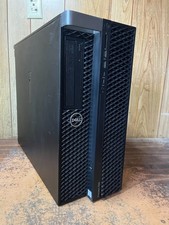
Dell Precision 7820 Win 11 Gaming Computer Xeon Silver 4112 16GB GTX 1080
$320.00

Intel Xeon E5-2699 V4 2.20GHz 55M 22-CORES LGA2011-3 Server Processor 145W SR2JS
$84.49

Intel Xeon E5-2690v2 SR1A5 10-Core 3.00GHz 25MB 130W LGA2011 CPU *km
$11.99

Intel Xeon W-2255 SRGV8 3.7GHz 10-Core LGA2066 Server CPU Processor
$199.99

Dell Precision T5820 950W Workstation 4.00GHz W-2125 No RAM/ GPU/ HDD/ OS
$144.98
Dell Precision 7820 Win 11 Gaming Computer Xeon Silver 4112 32GB GTX 1080
$350.00
Dell Precision 5820 Xeon w-2235 3.8 Ghz 16 Ram No HDD/OS - Working
$199.95



 Reply With Quote