

 Reply With Quote
First remove the link you made, then do: update-rc.d ssh defaults
If you want to remove it or something else starting: update-rc.d -f ssh remove


I've been trying to get sshd to start automatically on system boot. I've read all the FAQs but it doesn't seem to work on my knoppix 3.4 (2.6 kernel) system. Here's what I've done:
went to /etc/rc3.d and created a symlink called S70ssh to ../init.d/ssh:
in rc3.d:
lrwxrwxrwx 1 root root 13 Jun 16 10:28 S70ssh -> ../init.d/ssh
../init.d/ssh is the typical shell script to start the sshd.
If I go to /etc/rc3.d and type "./S70ssh" the sshd starts fine, but it won't come up automatically on boot.
Any ideas? thanks..
First remove the link you made, then do: update-rc.d ssh defaults
If you want to remove it or something else starting: update-rc.d -f ssh remove
ah, that worked. thanks!
 Posting Permissions


$295.00
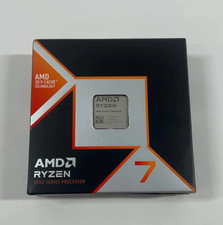
AMD Ryzen 7 9800X3D - Ryzen 7 9000 Series Zen 5 8-Core 4.7 GHz - Socket AM5
$375.00

INTEL CORE I9-10940X X-SERIES PROCESSOR | 3.30GHZ | SRGSH
$179.99

Intel Core i7-9700 3.0 GHz Octo-Core (SRG13) Processor
$79.00

Intel Core i7-3770K 3.5 GHz Processor
$39.00

Intel Core i7-9700 SRG13 3.0 GHz Desktop CPU
$80.00

Intel Xeon E3-1230 v3 SR153 3.3GHz Quad Core LGA 1150 CPU Processor
$14.49
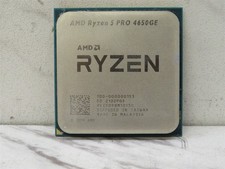
AMD Ryzen 5 PRO 4650GE 3.3GHz 6-Core 12-Thread AM4 Desktop CPU Processor Tested
$54.50

PS5 Over Heating Problem Solver 1.5 Grams Liquid metal thermal paste CPU, GPU
$15.99

INTEL CORE I9-10980XE PROCESSOR | 3.00GHZ | SRGSG
$299.99