

 Reply With Quote
I havn't used hd-install yet. Maybe this text helps you
http://www.crouse.ws/knoppix.html
I'm halve sleepy - so good night
rob


I have 'Freeduc' disk from a magazine which is apparently Knoppix but with xfce instead of kde. I am trying to install it in HD but when I do sudo /usr/local/bin/knx-hdinstall it appears to enter the hdinstall script but it's in German. On the 2nd screen it seems to be asking for a hda to
install to but I can only do OK or Cancel...no option to tell it to go to hda6. Then on the 3rd screen it says 'Das Skript wird beendet' & it exits.
What's it doing & how do I get it to install on the HD?
Thanks
I havn't used hd-install yet. Maybe this text helps you
http://www.crouse.ws/knoppix.html
I'm halve sleepy - so good night
rob
Read the post "Easy Hard Disk Installation" in this forum
Go to here and either download the .38 script or do what I did and open the script and extract the files to /ramdisk/home/knoppix and the open a console and sudo ./knx-hdinstall and you will have the english version.
Hopefully whoever put out the distro has not modified their knx script and it still will work.
I'm dnloaded the .38 script & extracted it. It's in windows 'My Documents' . I can mount the 'C" drive & run the script but it still doesn't work because it can't find the 'template' file which is also in windows My Documents instead of wherever it is looking for it. Where is it supposed to go?
May have trouble copying it anyway, the file system appears to be read only. I tries to copy the hd-install script to /usr/local/bin to overwrite the one which is there but it wouldn't let me.
You have the CD and are booted from it so just extract both files to the ramdisk that the cd is using ie. when it asks you where to extract the files on knoppix this would be /ramdisk/home/knoppix then run the install script. To find out the directory to extract the file to open a console and type pwd enter. Keep the console window open and after you have extracted then go back to console and ./knx-hdinstall enter and the script will work do not leave out the ./ or the german version will start.
 Posting Permissions

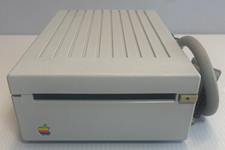
VINTAGE Apple 3.5 Drive External 3½" Floppy Drive DB-19 Beige | P/N A9M0106
$159.00
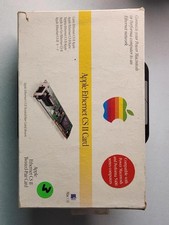
Apple Ethernet CS II Card BOX AND MANUAL ONLY- Vintage Network Interface
$59.99
![VINTAGE APPLE III COMPUTER FOR RESTORATION OR PARTS [NOT WORKING MISSING PARTS] picture](/store/img/g/LtgAAeSwBWFqwvf-/s-l225/VINTAGE-APPLE-III-COMPUTER-FOR-RESTORATION-OR-PART.jpg)
VINTAGE APPLE III COMPUTER FOR RESTORATION OR PARTS [NOT WORKING MISSING PARTS]
$299.99

Vintage Apple USB Mouse M4848 Bondi Blue iMac G3 Hockey Puck - Tested Working
$22.99
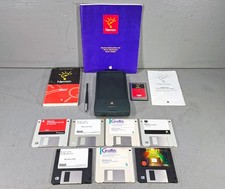
Vintage Apple Newton MessagePad 120 w/ Stylus Flash Card & Software *WORKS*
$99.99

Lot of 3 VIntage Apple Computer Rainbow Logo Sticker Decal Macintosh 1980s NOS
$7.00
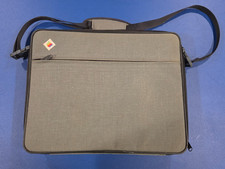
Vintage Apple IIc Computer Carrying Case Bag Grey Canvas Rainbow Logo 1980s
$74.99
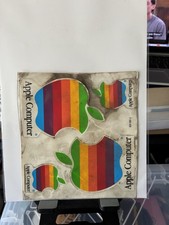
Vintage Apple Computer Rainbow Logo Sticker Sheet
$54.00

Vintage Apple Multiple Scan 15av Display Monitor M4681
$299.99

Vintage Apple Monitor IIc 9" Green Monochrome 06/1985 A2M4090 October 1984 Stand
$275.00