

 Reply With Quote
I had same problem but I entered into 2.6 version, logged in as root and had all permissions.
Try to see if it helps.


I have got no write permissions for /usr/local/bin directory and whenever I try any new installation it fails.
I have tried chmod and all related command but couldn't get arount so please help me in gaining RW access to this directory.
I had same problem but I entered into 2.6 version, logged in as root and had all permissions.
Try to see if it helps.
well, The system fails to login as root.
I have to get the solution within 2 days otherwise my organisation will have to leave the linux idea and go back to windows again that I strongly object. Kindly get me out of this trouble.
You do NOT need to log in as root! Never log in as root. Open a terminal and get root there with su.Originally Posted by yadwin
su
<password>
Then you can install whatever you want. What are you trying to install BTW?
Well that I did I got into the root. But again the same problem occurs. Whenever I try to change the permission the system displays
Cannt write to /usr/local/bin directory - read only file system.
I am trying to install Mgetty (Fax and Caller ID System.) and also I have asked my organisation to adopt linux and throw away windows as I work as System administrator.
Sorry if the question is obvious, but do you run a hd install? Otherwise running from the cd it's bound to be read-only.
Yes, this is problem is most biggest one. Since I want to something that is modify any configuration files, I can not save whatever I 'v login as su or not. I am suggest that only one different is Run-On-CD.
I have come across many guys who just abondened knoppix due to this trouble they say if u cant install a new program and cant save whatever you have done then what is the need to keep a a os on CD. And if the only solution is installing it on to the HDD then why not some bigger version like Redhat or Mandarke.
And I think we must device some solution like what if it stores all the files on to the HDD during Shutdown and then again retrievs them to ram during the next run. the whole trouble will be solved
And I think this may not be a very troublesome solution.
There's still lots of pros for a linux live-CD like Knoppix.
It's basically virus/trojan proof, reboot and all possible vermins are gone, not that they exist that much within linux.
You can boot up a computer which has a corrupted OS or no HD.
I haven't done this but you can create a persistent home by clicking the penguin icon, trace up to 'Configure', click 'Create persistent home directory'.
Then at boot use the one of the cheatcodes:
myconf=/dev/sda1 (this is for usb, replace if needed with the device/partition where you have the persistent home)
myconf=scan (to use automagic scan for the location)
After creating the home you can use klik to install software: http://klik.berlios.de/
There's a lenghty thread about it in: http://www.knoppix.net/forum/viewtopic.php?t=7680
Ever used an rpm based distro? rpm is a terrible package manager IMHO. Many dependency problems. Also Mandrake is the slowest moving Linux I've ever seen in my life. Personally I would never use it.
I guess I don't understand what the point of a live cd is if you want to install things to the hdd. Why not just put an OS on the hard drive then? You are aware that it is completely possible to create your own live cd?And I think we must device some solution like what if it stores all the files on to the HDD during Shutdown and then again retrievs them to ram during the next run. the whole trouble will be solved
And I think this may not be a very troublesome solution.
 Posting Permissions


Kingston 32GB 64GB 128GB 256GB USB 3.0 Flash Drive Thumb Memory Stick Pen lot
$285.90

Microsoft Office 2021 Pro Plus USB for 1PC Windows 10 & 11
$62.55

MICRON MTA36ASF4G72PZ-2G6D1 32GB PC4-21300R DDR4-2666V RDIMM 2RX4 MEMORY DIMM
$139.99

1/ 10/ 100pcs USB 2.0 2GB, 4GB ,8GB ,16GB ,32GB ,64GB 128GB USB Flash Drives Lot
$202.50
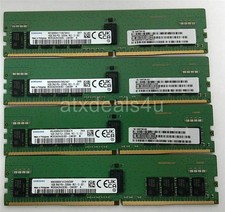
Samsung 64GB (16GBx4) 16GB 2Rx8 PC4-3200AA M393A2K43EM3-CWENY DDR4 Server Memory
$399.99

USB 3.0 Flash Drive 32GB 64GB 128GB Memory Stick Thumb Stick Lot Pack
$826.09

USB 3.0 Micro SD SDHC TF Card Reader Memory Adapter for PC Laptop Camera lot
$3.75
Samsung 16GB (1x16GB) 2Rx8 PC4-2133P DDR4 ECC Server Memory M391A2K43BB1-CPBQ
$64.99
Set of 2 HMAA4GR7CJR8N-XN HYNIX 32GB (1X32GB) 2Rx8 PC4-3200AA MEMORY
$500.00

TF/SD Card Adapter Camera Reader Android Type-c For iPhone17 Pro Max Plusm lot
$573.98