

 Reply With Quote
Why did you do that? Just burn the image.Originally Posted by jch02140
http://www.knoppix.net/docs/index.php/FaqDownloading


I have extract the ISO file. I wish to know what files or folders need to be burn in the CD in order to get it boot on start up?... I have burn all the contents in the ISO file but it won't boot on my laptop.
Why did you do that? Just burn the image.
http://www.knoppix.net/docs/index.php/FaqDownloading
well... don't extract the iso for one. I assume you're in windows so I'm going to suggest you use Nero.
get nero from www.download.com and then startup the Nero Burning Rom (not Nero start smart, it should be in the programs>>nero group)
Then choose Recorder>>Burn Image then just select the knoppix iso and make sure you tick finalize cd
And don't feel bad, it's one of the more common mistakes.
Hi,
It works now! Thanks.
By the way I am using Fujitsu C-Series Model 2210. Hope this info is useful.
 Posting Permissions


Lenovo ThinkPad E14 Gen 2 Laptop 14” HD Ryzen 5 16GB RAM 512GB SSD Win 11 Pro
$334.99

Lenovo ThinkPad L15 Gen 3 15.6" 16GB, Thunder Black
$241.50

Lenovo Thinkpad E15 Gen 2 8GB RAM 256GB SSD Intel Core [email protected] Laptop
$220.36

Lenovo ThinkPad E14 Gen 3 Laptop 14” FHD AMD Ryzen 5 16GB RAM 512GB SSD Win 11
$374.99

Lenovo Legion 5 Gaming 15.1" WQXGA OLED 165Hz Core i9-14900HX 16GB 1TB RTX 5070
$1469.00

Lenovo ThinkPad T14 Gen 1 14" AMD Ryzen 5 16GB 256GB SSD
$219.99

Lenovo ThinkPad T14 G2 14-Inch AMD Ryzen R5 5650U 16GB, 512GB SSD Win 11 Pro
$398.99

Lenovo - IdeaPad Slim 3i 15.3" 2K Touchscreen Laptop - Intel Core 7 350 2026 ...
$679.99

Lenovo ThinkPad L15 Gen 3 15.6" 16GB, Thunder Black
$241.50
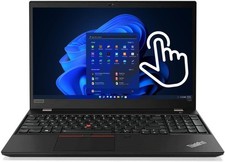
Lenovo Thinkpad T590 Gen1 8th Core i7 32GB 512GB Touchscreen RJ45 Win 11 Pro
$339.00