-
Junior Member
registered user
Knoppix on iPod?
I would like to save my configurations to my iPod (currently empty FAT32 partitioned) however when I use knoppix-->Configure-->Create Persistent Knoppix Home Directory I see 4 drives marked sda1 through sda4. There is only 1 iPod connected by USB. When I select any of them it says "sda* is not a valid block device." Do I need to reformat them in Knoppix first. I don't plan on using the iPod for anything else.
Im probably missing something, but I just don't know what I am doing wrong.
Can it be done, using the iPod for knoppix? If possible, what I would really like to do is just install knoppix on the iPod HD and use that to run the whole OS. Can that be done?
-
Senior Member
registered user
What you suggest may be possible, whether it's wise on something as flakey as an iPod is quite another question. I'd make sure that you keep a backup somewhere else.
To me, the mount issue suggests that the iPod may not be powered up.
I get similar messages from my (vastly superior!) Neuros if:
the battery is flat and/or it's not plugged into the transformer
I've mounted another usb device and not re-booted (someone posted a work around for this, but I've forgotten it).
-
Junior Member
registered user
Power is not an issue. The iPod reads as having a full battery, and it doesn't even take power from the battery when it is plugged into a power outlet. I have a cable with 2 ends, one USB and 1 firewire that connects the to firewire power adaptor, that it then plugged into the wall. The iPod has full power.
The iPod is the only other storage device that I have that is large enough to work with.
For a temporary fix, I tried saving my settings to a floppy diskette to preserve them between reboots. It doesn't want to do that either. I insert a blank floppy, run Knoppix-->Configure-->Save KNOPPIX configuration and after pointing it to my floppy drive with a blank floppy returns this error "umount: /mnt/floppy: not found".
-
Senior Member
registered user
Ah, that error.
/mnt/floppy doesn't exist!
If you change the entry to
/floppy
you should be OK.
FWIW, my /etc/fstab entry looks like:
/dev/sda1 /mnt/sda1 vfat noauto,users,exec,sync,umask=000 0 0
(the sync entry prevents all kinds of crazy errors)
I'm a bit puzzled as to why you get 4 sda entries: if you're using a multi-card reader or hub or somesuch it might be worthwhile trying a single usb port.
-
Junior Member
registered user

Originally Posted by
fingers99
Ah, that error.
/mnt/floppy doesn't exist!
If you change the entry to
/floppy
you should be OK.
FWIW, my /etc/fstab entry looks like:
/dev/sda1 /mnt/sda1 vfat noauto,users,exec,sync,umask=000 0 0
(the sync entry prevents all kinds of crazy errors)
I'm a bit puzzled as to why you get 4 sda entries: if you're using a multi-card reader or hub or somesuch it might be worthwhile trying a single usb port.
I don't understand. What am I supposed to change? Going to Knoppix-->Configure-->Save Knoppix configuration I am presented with a gui menu asking me to select what configurations I want to change then asks me where to save it. I have only two choices /mnt/floppy and /mnt/sda . Selecting floppy closes the gui box and that's it, I never have the choice to change anything. Where do I change something? If I do it in the konsole I get the /mnt/floppy not found error.
The iPod is not on a hub, it's connected to a single USB port and I have tried it from all the USB ports on my computer (all 6). Same results.
-
Re: Knoppix on iPod?
Hi,
This seems to be the same problem I had with my USB memory stick. Four partitions on it, sda1 - sda4.
I did it the hard way: dd if=/dev/zero of=/dev/sda
Create one new partition on sda, FAT type
Format as FAT
Ready.
I don't remember the details, but with a lot 'apropos' (or was it 'man -k'?) I found out how to do these steps. Of course you cannot do anything else anymore with your iPod. (Or you make a backup first? dd if=/dev/sda of=/your_file_somewhere)
HTH
GdB
-
Junior Member
registered user
Wait, I wont be able to anything else with my iPod ever? Or I just wont be able to do anything unless I reformat it for music again?
-
Junior Member
registered user
Re: Knoppix on iPod?
Originally Posted by
GdB
Hi,
This seems to be the same problem I had with my USB memory stick. Four partitions on it, sda1 - sda4.
I did it the hard way: dd if=/dev/zero of=/dev/sda
Create one new partition on sda, FAT type
Format as FAT
Ready.
I don't remember the details, but with a lot 'apropos' (or was it 'man -k'?) I found out how to do these steps. Of course you cannot do anything else anymore with your iPod. (Or you make a backup first? dd if=/dev/sda of=/your_file_somewhere)
HTH
GdB
So I will have to reformat the iPod from Knoppix? How exactly do I use that command?
-
Senior Member
registered user
Have you mounted the iPod? If not then there's no way in hell you're going to be able to use it!
What version if Knoppix are you uysing? I'd hasard a guess at 3.4, as the iPod seems to be recognised already... (with 3.3 you have to run a script like rescan-scsi-bus.sh to get firewire drives - iPod included - recognised).
"mount" will list all the partitions you currently have mounted; "sudo fdisk -l" will list all recognised harddrives and the partiions on them.
HTH
p.s. Neuros better than the iPod? <lol> I appreciate the fact that users on this board have a sense of humour ;)
-
Senior Member
registered user
p.s. Neuros better than the iPod? <lol> I appreciate the fact that users on this board have a sense of humour

I appreciate the fact that iPod buyers have more money than sense (except, maybe, fashion sense)
I don't understand. What am I supposed to change? Going to Knoppix-->Configure-->Save Knoppix configuration I am presented with a gui menu asking me to select what configurations I want to change then asks me where to save it.
Ah, gotcha. Look at /etc/fstab
vim (gvim, or whatever) /etc/fstab
edit the line
/dev/fd0 /floppy vfat defaults,user,noauto,showexec,umask=022 0 0
to point to /mnt/floppy
(make sure that a directory called /mnt/floppy exists!)
save it
then do
mount -a
and all should be well.
I'm doing this from a HD install so can't actually check it.
Similar Threads
-
By jan4 in forum Hardware & Booting
Replies: 1
Last Post: 08-27-2005, 03:35 PM
-
By zawi in forum General Support
Replies: 1
Last Post: 08-18-2005, 04:05 AM
-
By hampton275 in forum General Support
Replies: 1
Last Post: 11-22-2004, 06:27 PM
-
Replies: 0
Last Post: 11-06-2004, 01:48 AM
-
By PatrickH in forum General Support
Replies: 3
Last Post: 09-01-2004, 07:51 PM
 Posting Permissions
- You may not post new threads
- You may not post replies
- You may not post attachments
- You may not edit your posts
-
Forum Rules


Macintosh Platinum Mouse - Apple 128K 512K 512Ke Mac Plus Lisa IIe M0100 - NEW
$49.99

Apple Macintosh Mac 128k - 512k Boot / Diagnostics 2 Disk Set for Classic Macs
$14.99
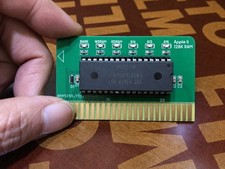
Apple II/II+ Saturn-Compatible 128K RAM Card
$69.00
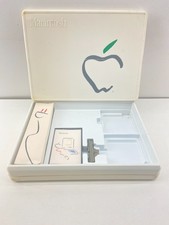
1984 Apple Macintosh 128k Picasso Accessory Case Empty Cord Tape Box Incomplete
$59.99
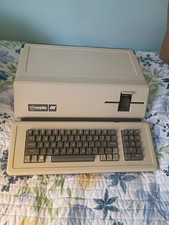
VINTAGE APPLE III COMPUTER A3S1-052010 (128k)
$800.00
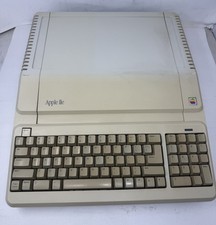
Apple IIe Platinum 128k Computer - Powers On - As is - See Photos - a2s2128
$255.00
Vintage Apple IIe Platinum A2S2128 128K Computer Parts Repair Missing Keys
$100.00

Vintage Apple Macintosh Classic 128K Game Pack 5 On New 400K Double Density Disk
$39.99
Vintage Apple Macintosh M0100 Mouse 128K 512K Original Tested Working USA
$65.00

1984 APPLE MACINTOSH 128K FIRST MAC Model M0001 PICASSO KIT Discs Harvard Rare
$1800.00



 Reply With Quote