-
lilo and windows killing said of
Simply put, every once in a while you have to reinstall windows for one of many reasons. Including upgrades to a new version.
In the Live CD it should have a simple mount&search option that will reconfigure/reinstall Lilo back to the mbr. This is especially important since most ppl now going to Knoppix are basically linux newbies, like myself. It took me forever to look up help and howto's and everything else in the world just to decide that it was simpler to kill the linux partition and reformat&reinstall linux. JUST TO GET LILO WORKING AGAIN.
And NO, bootfloppies isn't the answer. It should be a search for knoppix installation, a question to confirm that its the right one, and then a reinstall/reconfigure of lilo, from the LiveCD. Trying to mount my hda2 was impossible from the LiveCD, and I am sure there IS a simple way to mount my hda2, and then lilo -v it to reconfigure/reinstall it, but if it is easy to do, its NOT easy to find. Like I said, just a simple click for it. I mean think of it, windows is common, dualboots are common, and windows screws up all the time, never mind dealing with the fact that we upgrade it too.
I used to be able to fix my lilo when this would happen by using the install CD (redhat, etc.) but this isn't an easy case with Knoppix. Hell, an entry in the knoppix-installer for just that would be perfect, just add a little note somewhere in the help files, that will tell the person looking for this, that its there.
Thanks.
PS reason a bootfloppie isn't an option is that some systems now do not come with floppy drives.
-
Junior Member
registered user
Well I'm new to Linux and Knoppix, so after trawling these forums for an answer, as I had the same problem as you, I found a post with a little scribble at the bottom, which completely solved the problem!! Don't ask me how it works as I dont completely understand what it does, but it works! It's only 3 commands too!
From the terminal (after booting from knoppix live disk):
su <enter>
mount -o dev /dev/hda2 /mnt/hda2; chroot /mnt/hda1 <enter>
lilo -v <enter>
Viola - Your mbr back and everything!!
I'll post this in one of the help sections just incase there are any newbs like us that cant get a quick fix to when we have to reinstall windoze ever 5mins and it eats the mbr.
Mors
-
Senior Member
registered user

Originally Posted by
mors
mount -o dev /dev/hda2 /mnt/hda2; chroot /mnt/hda1
Yup; didn't know about the "-o dev" myself until yesterday; probably something new since the move to the 2.6.x kernel - or a newer, moodier, version of lilo. Anyway, not to nitpick but i thought i'd mention that it should be hda2 everywhere in the instructions above (well actually hdaN, with N corresponding to the disk slice you allocated to your Knoppix root filesystem).
-
Junior Member
registered user
Yup, sorry my typo!! I'd taken it from a thing I'd written for myself to remind me and slighty bodged the translation! Thanks for pointing it out 
Mors
-
Re: lilo and windows killing said of
Originally Posted by
whoCaresWatIamCalled
In the Live CD it should have a simple mount&search option that will reconfigure/reinstall Lilo back to the mbr.
There is such a script here (lilo_revival) :
http://christophe.delord.free.fr/en/linux/index.html
It searches /etc/lilo.conf in every partitions and let the user choose one of them before running lilo. This script will be integrated into a french Knoppix (Kaella). It can also be integrated into any other Knoppix. I use it for my own master.
Best regards,
Christophe.
Similar Threads
-
By emmbec in forum MS Windows & New to Linux
Replies: 2
Last Post: 11-09-2004, 11:16 PM
-
By TOM in forum General Support
Replies: 2
Last Post: 06-07-2003, 03:09 AM
-
By danielgarcia in forum Hdd Install / Debian / Apt
Replies: 3
Last Post: 04-09-2003, 08:11 AM
-
By VeeDubb in forum General Support
Replies: 1
Last Post: 03-20-2003, 10:06 PM
-
By endri in forum Hdd Install / Debian / Apt
Replies: 2
Last Post: 03-03-2003, 05:30 PM
 Posting Permissions
- You may not post new threads
- You may not post replies
- You may not post attachments
- You may not edit your posts
-
Forum Rules


16GB KIT (2x8GB) DDR3 Gamer Desktop RAM PC3 MIXED BRANDS VIPER VENGEANCE FURY
$10.00
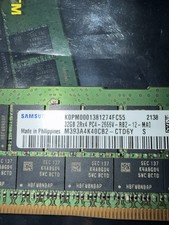
Samsung 128GB (4x32GB) DDR4 PC4-2666V ECC Server RAM 288-Pin M393A4K40CB2-CTD6Y
$699.99

Netac DDR4 32GB 16GB DDR4 3200MHz UDIMM C16 Desktop Internal Memory RAM Kit
$99.99

Major Brand 16GB (2x8GB) PC3-12800U DDR3-1600MHz DDR3-12800 DESKTOP RAM NON-ECC
$29.99

A-Tech 8GB DDR3 1600 PC3-12800 Laptop SODIMM 204-Pin Memory RAM PC3L DDR3L 1x 8G
$21.68

DDR4 Laptop RAM 4GB 8GB 16GB 32GB 2400 2666 3200 Samsung Hynix
$66.00

G.SKILL FLARE X5 64GB (2 x 32GB) 6000 MT/s DDR5 (AMD EXPO + INTEL XMP) *CL30*
$785.00

RAMAXEL Lenovo 32GB LPDDR5X CAMM2 7500MHz Laptop RAM | UNTESTED
$445.00

Dell 16GB PC4-21300 (DDR4-2666) Memory (SNPPWR5TC16G)
$89.99
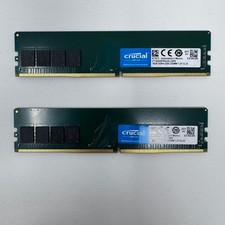
Crucial 16GBx2 (32gb kit) DDR4 3200 MHz CL22 RAM Module (CT16G4DFRA32A) Pulled
$129.00



 Reply With Quote