-
when booting knoppix, try disabling the USB support.
so, press F2 when booting, then type
knoppix nousb
at the boot prompt. That will likely get you past the usb issues. Your machine probably has an older usb chip on it.
I have the same issue with knoppix 3.4 on my toshiba laptop.. have to disable USB support. There are commands you can run after bootup to have linux probe usb, but that will take more googling.
Similar Threads
-
By n()()dle in forum General Support
Replies: 4
Last Post: 12-23-2004, 01:39 AM
-
By Igor in forum General Support
Replies: 21
Last Post: 12-03-2004, 04:02 AM
-
By Medicate in forum General Support
Replies: 3
Last Post: 11-26-2004, 07:08 AM
-
By bored in forum General Support
Replies: 3
Last Post: 01-27-2004, 01:29 AM
-
By thewyzewun in forum General Support
Replies: 2
Last Post: 10-20-2003, 10:48 PM
 Posting Permissions
- You may not post new threads
- You may not post replies
- You may not post attachments
- You may not edit your posts
-
Forum Rules


USB 3.0 Flash Drive 32GB 64GB 128GB Memory Stick Thumb Stick Lot Pack
$826.09

MICRON MTA36ASF4G72PZ-2G6D1 32GB PC4-21300R DDR4-2666V RDIMM 2RX4 MEMORY DIMM
$139.99

TF/SD Card Adapter Camera Reader Android Type-c For iPhone17 Pro Max Plusm lot
$573.98

1/ 10/ 100pcs USB 2.0 2GB, 4GB ,8GB ,16GB ,32GB ,64GB 128GB USB Flash Drives Lot
$202.50

Kingston 32GB 64GB 128GB 256GB USB 3.0 Flash Drive Thumb Memory Stick Pen lot
$285.90

Samsung 32GB DDR4-2666V-2Rx4-RB2-12 RAM M393A4K40CB2-CTD6Q
$169.00

USB 3.0 Micro SD SDHC TF Card Reader Memory Adapter for PC Laptop Camera lot
$3.75
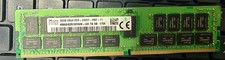
SK Hynix 32GB PC4-2400T DDR4-2400 ECC RDIMM Server RAM HMA84GR7AFR4N-UH Tested
$235.00

Wholesale 5/10/100PCS 1GB 2GB 4GB 8GB 16GB 32GB USB 2.0 Flash Drive Memory Stick
$289.80

Microsoft Office 2021 Pro Plus USB for 1PC Windows 10 & 11
$62.55



 Reply With Quote