

very interesting, but that's exactly I'm trying to figure myself....
If I can figure something, I'll tell you too...


I am trying to install Knoppix from live CD to Virtual PC, had not had any success. I boot with the CD in Virtual PC then I run the command KNX2HD, it goes in to install then stops and says HDD is read only can not write.
I am new to Linux, anyone have any ideas how can I install knoppix on Virtual PC.
Thanks
MasterCheef
very interesting, but that's exactly I'm trying to figure myself....
If I can figure something, I'll tell you too...
lol. ican not even boot it from cd . I need some help. ThanksOriginally Posted by Fenix*NBK*
I just installed knoppix on an MS Virtual PC 6 disk image. I had to convert the drive image to fixed size from dynamic expanding. Using the sudo knoppix-installer system, it seemed to work perfectly. Hope this helps someone.
Thanks for this feedback. Well could u explain a little more. I want to mount the knopix live cd in to virtual drive and then use that virtual drive with MS virtual pc . OR burn the knopix live cd in to cd and use it with virtual pc. is they a specile way of burning the image to allow it run in virutal pc ? looking forward to your reply.
How I had Virtual PC 6 set:
New Virtual HD ready to install Linux on.
Memory settings set at 128+MB
Boot from CD Allowed.
I had:
One Knoppix CD burned with Roxio Toast from the most recent ISO in my internal CDROM
One Graphite iMac DV SE g3/500mhz running 10.3.5
What I did:
Booted the Linux ready virtual drive which started off the CD.
Typed in knoppix at boot
waited forever to get KDE to load (You don't need the Virtual additions (I didn't at least)
used the Konsole to run sudo knoppix-installer
used formatting software built in the software to make a root and swap partitions
followed the wizard's instructions (chose knoppix install instead of debian)
went to watch The Complete Works of William Shakespeare Abridged
came back and it was installed
You should just be able to click cd; (from the create vp wizard) then hit "capture iso" and select the iso from the cd rom, or better still wherever you have it on your computer; (now it's visible under "cd") then click file -- hit "ctrl alt del" and see it fire up, virtually, no installation necessary: about 2 minutes on my system.
MS user:
1. click cd -- hit "capture iso"
2. click file -- hit "ctrl alt del"
3. see it fire up!
 Posting Permissions


Netac DDR4 32GB 16GB DDR4 3200MHz UDIMM C16 Desktop Internal Memory RAM Kit
$99.99

A-Tech 8GB DDR3 1600 PC3-12800 Laptop SODIMM 204-Pin Memory RAM PC3L DDR3L 1x 8G
$21.68

Major Brand 16GB (2x8GB) PC3-12800U DDR3-1600MHz DDR3-12800 DESKTOP RAM NON-ECC
$29.99
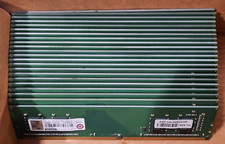
Lot of 88GB (22x4GB) ADVANTECH 1RX16 DDR4 PC4-2400U AQD-D4U4GN24-HP MEMORY RAM
$286.00
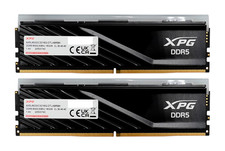
ADATA XPG Lancer Blade RGB 32GB (2x16GB) DDR5-6000 CL30 Desktop RAM Black
$429.94

DDR4 Laptop RAM 4GB 8GB 16GB 32GB 2400 2666 3200 Samsung Hynix
$66.00

Samsung 16GB LPCAMM2 PC5 7500 DDR5 LPDDR5X CAMM2 M561K1LC4DM0-CCTGM RAM Memory
$189.00

RAMAXEL Lenovo 32GB LPDDR5X CAMM2 7500MHz Laptop RAM | UNTESTED
$445.00

LOT OF 4 Samsung 16GB DDR4-2666 ECC UDIMM 2Rx8 PC4-21300 M391A2K43BB1-CTDQ
$469.95

NEW IN BOX - Corsair Vengeance RGB 32gb (2x16gb) DDR6200 CL36 CMH32GX5M2B6200C3
$550.00