-

Originally Posted by
Cuddles
Shortcuts, or links, is the answer, and then placing them in the right location for the user. I am assuming that the applications are for a user, and not the system, if the system ( OS ) needs to run them - that is a different story... But, when a user logs in, specific settings are loaded for that user, like the way they like the desktop, clock, and even already running programs they had when they logged out... To get this user to activate a program when they login, you will want to create a "shortcut" in the home folder, under the folder named .kde/Autostart - open up a Konqueror window, ( the little house icon on the taskbar ), make sure you have under "View" Show Hidden Files, click on .kde folder, then click on Autostart, in this folder, right-click on the right pane, and select Create new, and then select Link to application... -=- this should allow you to enter, or browse for the application you want to create the autostart program for... ( Note: this assumption, and above example, assumes that you want to "autostart" a program for the user you are logged into at this time. )
I tried doing the shortcut, but I do not know what to input to the fields.
"Command, Panel Embedding, Run in Terminal"
The program I want to start right after login is aMSN messenger. I execute it by gonig into "Run command" > aMSN or by konsole and typing aMSN. I am not sure what to do.
-
hey guys...I'm a newbie in knoppix linux..I liked it so much...i have a question by the way...
can i make a application software run on my knoppix OS but the thing is, the application is installed in my windows file system or windows??can i?
can you teach me guys...
i tried to click the .exe file then opened it with WINE...but it wont work...is there any way that i get it to work???please...
-
Senior Member
registered user
Originally Posted by
Chris Lee
Originally Posted by
Cuddles
Shortcuts, or links, is the answer, and then placing them in the right location for the user. I am assuming that the applications are for a user, and not the system, if the system ( OS ) needs to run them - that is a different story... But, when a user logs in, specific settings are loaded for that user, like the way they like the desktop, clock, and even already running programs they had when they logged out... To get this user to activate a program when they login, you will want to create a "shortcut" in the home folder, under the folder named .kde/Autostart - open up a Konqueror window, ( the little house icon on the taskbar ), make sure you have under "View" Show Hidden Files, click on .kde folder, then click on Autostart, in this folder, right-click on the right pane, and select Create new, and then select Link to application... -=- this should allow you to enter, or browse for the application you want to create the autostart program for... ( Note: this assumption, and above example, assumes that you want to "autostart" a program for the user you are logged into at this time. )
I tried doing the shortcut, but I do not know what to input to the fields.
"Command, Panel Embedding, Run in Terminal"
The program I want to start right after login is aMSN messenger. I execute it by gonig into "Run command" > aMSN or by konsole and typing aMSN. I am not sure what to do.
Chris,
you got the right idea, you are just going to need to do a little research on where the program is at...
Chances are, if you can run the program from a Run Command [prompt, you might just be able to create the "link to application" without having to enter the complete path for it.
First, try to create a "link to application" on your desktop, in the command box you have got the execute tab, just enter what you enter in the "Run Command" - if it works, simply cut the desktop shortcut and paste it to the /home/"user"/.kde/Autostart/ location in a Konqueror window...
If the above doesn't start your program, just by using the program name, you will want to search for the program on your hard drive install... Once you find the complete path and program name, simply enter that in the "execute tab -> command" box for the "link to application"
I hope this helps,
Ms. Cuddles
-
Junior Member
registered user
NTFS Read-Write with INSERT 50 MB Live CD (Knoppix-based)
Try the Knoppix-based Live CD (credit-card size 50 MB) with a full range of security, antivirus, recovery, NTFS read-write, plus all the stuff to repair and recover Linux journaling file systems as wall as MSDOS FAT12, FAT13, FAT32, and of course NTFS. Download from http://sourceforge.net/projects/insert/ and read about it at http://www.insert.cd/ . Good antivirus scanning, very usable desktop, tiny sized credit-card CD, fast download and easy burn.
-
Entering mounted NTFS in GUI-launched apps
Hi folks,
I had a Win XP crash and am loving Knoppix and how I can see all of my precious files in the root shell window after mounting the NTFS partition without a hitch. My problem, that I'm hoping some kind person can help with, is that I can't enter the mounted directory in applications launched from the GUI, which I want to do to get a good survey of my files, directory sizes, etc., and to get some CD-burning going on. Permissions show as having read access, but this seems to be something else. If I click on the partition from the desktop, for instance, I get "Cannot enter /mnt/win32" but if I check properties, permissions show read access for user, group, and others. If I open a picture with gimp or an mp3 with audacity from the shell prompt, I can subsequently navigate the files in the open dialog box, but if I launch the app from the GUI, I cannot enter it as if I don't have permission. Any ideas?
Grateful in advance,
Foobius
Similar Threads
-
By sladetf in forum Hardware & Booting
Replies: 0
Last Post: 02-24-2005, 09:05 PM
-
By enraged in forum General Support
Replies: 3
Last Post: 07-06-2004, 05:27 AM
-
By icarus in forum Hdd Install / Debian / Apt
Replies: 1
Last Post: 10-07-2003, 01:46 PM
-
By tyiooo in forum General Support
Replies: 10
Last Post: 06-12-2003, 05:25 AM
-
By eliashan in forum General Support
Replies: 0
Last Post: 04-14-2003, 08:52 AM
 Posting Permissions
- You may not post new threads
- You may not post replies
- You may not post attachments
- You may not edit your posts
-
Forum Rules

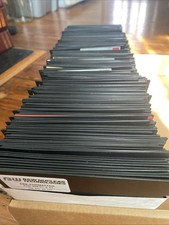
Vintage 1980s 1990s Lot of 175 Used PC Computer 5.25" Floppy Disks IBM
$175.00

Vintage HP 21MX 1000 M-Series Minicomputer Chassis Backplane Parts AS-IS
$228.19
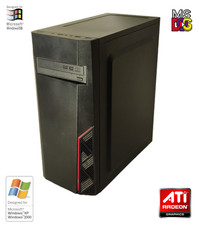
NEW* AMD Athlon 4850e 4GB ATI X1050 Win98 XP DOS Multiboot Retro PC w/ 50 Games
$389.00

Lot of 2 Vintage Plextor PX-43CS SCSI CD-ROM Caddy Drives + 4 Caddies Used
$55.99

Vintage Gray AC Power Cable Cord 3-Prong Plug to 3-Prong 3-Slot Connector
$50.00
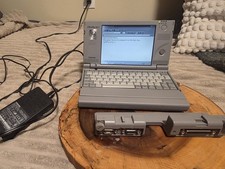
Vintage Toshiba Libretto 70CT Mini Notebook with Port Replicator and 32MB Memory
$320.00
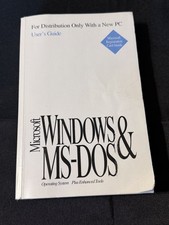
Vintage Microsoft Windows & MS-DOS User’s Guide - 1993 - OEM Distribution Copy
$15.50
Vintage Microsoft Office 1.0 Apple Macintosh 1989 Big Box Software Sealed
$399.99
Vintage Compaq Deskpro 286 AT PC Computer Complete w/Drives Powers On
$189.99
Vintage Computer Lot Commodore IBM Gateway AT Gaming Towers Huge CRT Lot
$5600.00



 Reply With Quote