

 Reply With Quote
I can't be much help, other than to suggest that it might be a video driver issue. What kind of video card do you have?Originally Posted by knight-rider
One more question: Does it run from the CD o.k., but not from the hard disk?


I am having a problem getting KNOPPIX 3.4 to load up on my pc. I have a P2 400 with a 6GB HDD. I want to install it to my hd but when it goes to load up the monitor shuts down. It will run on my 1GHz Celeron and my Athlon XP1400+, can someone help?
I can't be much help, other than to suggest that it might be a video driver issue. What kind of video card do you have?
One more question: Does it run from the CD o.k., but not from the hard disk?
I have an 8MB onboard video card. It will not completly load up from the cd. It gets to the AGP bridge detected then the screen goes to black as if it would when it goes to sleep when in Windows OS.
A couple of thoughts...
Once it has gone black, hit <ctrl><alt><-> a couple of times to see if you might actually have SOME usable video mode. Then you might be able to change the settings that work to some more to your liking.
Do you have another more-or-less recent Linux that works on this system? If so, grab /etc/X11/XF86Config-4 from it and replace the one generated by Knoppix. To do that, you will need to either use my first suggestion if it works, or boot to command line instead of GUI. It seems like entering either "knoppix 2" or "linux 2" should do that.
I had one PC that would do fine with Knoppix 3.3, but not 3.4--and I wanted to install 3.4 to the hard drive. I did the install, then I booted with 3.3 and copied /etc/X11/XF86Config-4 from the running version to the installed one.
I had another one that worked fine with Lycoris Desktop L/X, but EVERY recent Knoppix was having problems with the monitor. I copied /etc/X11/XF86Config-4 somewhere I wasn't reformatting, installed it into Knoppix, and it works pretty well.
Sorry, I don't know if I mistyped or if the HTML munged what I typed. Toggle between video modes with CTRL plus ALT plus MINUS sign (or CTRL plus ALT plus PLUS sign).
Maybe try knoppix vsync=60 at boot prompt. (see the cheatcodes.txt on cdrom)
Thanks for everyones help! I was able to enter the correct screen size at the boot promt. knight-rider
 Posting Permissions


Original Vintage Old Style STANDARD Black CD Jewel Case (Heavy Duty) 90g Lot
$316.95
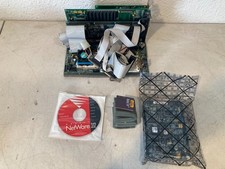
Vintage 486 PC Motherboard IBM CPU ISA Cards RAM Novell NetWare 3.12 Computer
$249.99
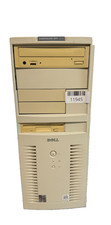
VINTAGE Dell Dimension XPS D233-Pentium II-128MB Ram 13.5GB HDD Matrix GFx W98SE
$229.99
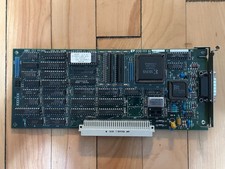
Vintage Radius Pivot II Display NuBus Video Card 632-0030
$149.00

Vintage Apple iMac G3 “Sorry, no beige.” Wristwatch – Two Original Bands
$249.95
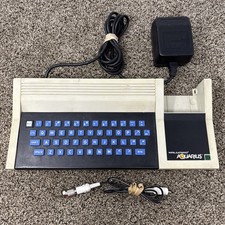
Vintage 1982 Mattel Aquarius Home Computer System 5931 Tested and Working
$100.00
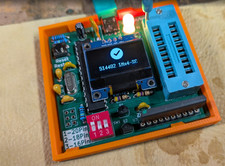
RAM-Tester for vintage RAM, 4816, 4164, 41256, 514402, and more - USA Seller
$35.00

VINTAGE ESS ES1868 16 BIT ISA SOUND CARD COMPAQ 247428-001 - USA SELLER RM2-SC
$24.95
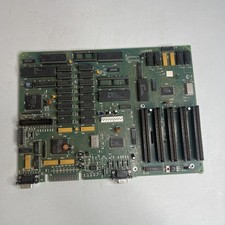
Vintage 1980s PC XT Clone Motherboard 8088 CPU 8-Bit ISA Slots Untested
$69.77
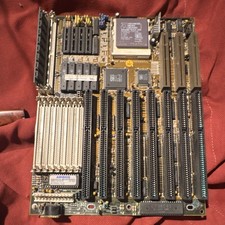
Vintage 486 VLB Motherboard Combo AMD Am486 DX4-120 SiS 85C471 AMI BIOS SIMM
$149.00