-

Originally Posted by
knight-rider
I have an 8MB onboard video card. It will not completly load up from the cd. It gets to the AGP bridge detected then the screen goes to black as if it would when it goes to sleep when in Windows OS.
A couple of thoughts...
Once it has gone black, hit <ctrl><alt><-> a couple of times to see if you might actually have SOME usable video mode. Then you might be able to change the settings that work to some more to your liking.
Do you have another more-or-less recent Linux that works on this system? If so, grab /etc/X11/XF86Config-4 from it and replace the one generated by Knoppix. To do that, you will need to either use my first suggestion if it works, or boot to command line instead of GUI. It seems like entering either "knoppix 2" or "linux 2" should do that.
I had one PC that would do fine with Knoppix 3.3, but not 3.4--and I wanted to install 3.4 to the hard drive. I did the install, then I booted with 3.3 and copied /etc/X11/XF86Config-4 from the running version to the installed one.
I had another one that worked fine with Lycoris Desktop L/X, but EVERY recent Knoppix was having problems with the monitor. I copied /etc/X11/XF86Config-4 somewhere I wasn't reformatting, installed it into Knoppix, and it works pretty well.
 Posting Permissions
- You may not post new threads
- You may not post replies
- You may not post attachments
- You may not edit your posts
-
Forum Rules


Dell EMC PowerEdge R740 8 Bay Server w/ 32GB RAM 2x GOLD 6132 2x 1600W PSU H730p
$499.88

Dell Poweredge R630 2x Xeon E5-2680 v3 2.5ghz 24-Cores / 64gb / Raid / 2x 1Tb
$374.99

Dell EMC PowerEdge R440 Xeon silver 4215 2.5GHz 16 GB ram 2x 550W PSU No HDD
$275.00

DELL POWEREDGE R340 Server | Xeon E-2126G 64GB RAM PERC H330 (Onboard)
$399.95

Dell Poweredge R730xd 12LFF 2*2660v4 4*1Gbe h730 2x 750W Server CTO
$308.00

Dell PowerEdge C4130 1U AI GPU Server | 2x E5-2680 v3 | 32gb Ram | 2x 1600W
$484.99

Dell PowerEdge R730 8 Bay Server 64Gb 1x80Gb SSD 3x900Gb SAS 2x12c v4CPU Proxmox
$620.00

8W81F Dell PowerEdge R840 24x SFF 4x Xeon Gold 6252 H730P 2x 1100W PSU
$1000.00

Dell Intel X710-DA2 5N7Y5 Dual-Port 10GbE SFP+ PCIe 3.0 x8 Network Adapter
$27.50
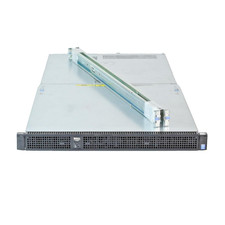
Dell Poweredge C4130 2x LGA2011-3 1U 4x GPU Rackmount Server CTO (NO CPU/NO RAM)
$299.95



 Reply With Quote