

 Reply With Quote
Incompatibility?Originally Posted by jhendrix86
Alsa stuff? This make no sense. Usually people boot with the alsa cheat code. If that's what you mean then please say so.I've tried doing the alsa stuff and nothing seems to work.


Hi, I have a SoundBlaster Live! soundcard. I've been reading up on this incompatibility problem w/knoppix or whatever. I've tried doing the alsa stuff and nothing seems to work. However, I loaded up Knoppix regularily and it recognized my sound card. I then went to the aumixer and the KMix and made sure everything was up. I then went to XMMS and tried to play an MP3. The funny thing was that if i put my ear up to the speaker, i could faintly hear music, but i couldn't get it any louder. Now, I also have one of those Microsoft Keyboards w/volume control on it....it's like the main volume control (control on speakers don't really control it). The keyboard loads up fine, but i can't change the volume thru the keyboard, except for the support for the buttons.
How can i fix this so i can just listen to my tunes?????
Thanks to any help I can get
Incompatibility?
Alsa stuff? This make no sense. Usually people boot with the alsa cheat code. If that's what you mean then please say so.I've tried doing the alsa stuff and nothing seems to work.
Not sure about this, but, I'll give it a try...
As mzilikazi said, incompatibility? -=- With your sound card, the version of Knoppix you have, or the "whatever" ???
Doing "alsa stuff", with the live CD is almost ALWAYS done using the alsa cheatcode on the boot: prompt... About this "nothing seems to work", do you get error messages, or just no sound, more information on what you are doing, and what error messages you get, will help anyone in helping you get a resolution...
Good to hear that it recognizes your sound card... But, when, as far as I know, using alsa usually should require that you use the alsa mixer as well - not the OSS mixers - can you run alsamixer and ensure that you have your volume settings no more than 75%, and that they are "un-muted"... The statement that you can hear "faintly" sound coming out of your speakers, tends to make me feel that some sound volume is either not un-muted, or you are getting channel "cross-talk" from a line that is picking the "real" volume channel from. This theory is further supported by the fact that you state you can't make it any louder.
I, also, have a M$ Natural Keyboard, with a slew of "extra" buttons along the top of the keyboard - most are for WEB usage, and a few for "volume control" Windows "applets", plus a few more for "Media Player" or "CD Player" Windows "applets" - NOTE the wording - Windows Applets. When you got your keyboard, you needed to install a Windows install program that ran in your system tray in Windows, that translated the keys on your keyboard, which is not a standard 101 or 102 keyboard, into "known" signals that this "system tray" application knew how to decode and act upon them. I have yet to get my keyboard to be "recognized" by these "special" keys in Knoppix, under any keyboard "overlay". I figure the main reason for this inability is becuase of the "support" program that came with the keyboard in the first place. If you don't have the "support" program running, the operating system has no clue what, or even how, these keys represent, and thus, can not do anything with them.
My best suggestion, and here is the kicker, go back to the manufacturer of your keyboard, and see if they have this "support" program for Linux... ( either M$ or Logitech, depending on your manufacturer of your keyboard ) -=- I gave up on M$, and just live with extra keys that don't do anything...
Hope this helps,
Ms. Cuddles
 Posting Permissions

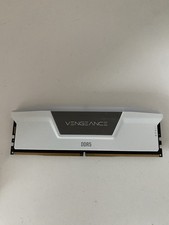
Corsair Vengeance - 16gb DDR5 Ram (Single Stick)
$190.00
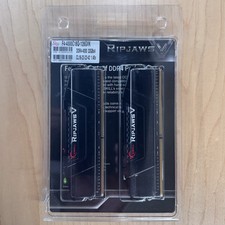
G.Skill Ripjaws V 128GB (4x32GB) DDR4-4000 CL18 Memory Kit F4-4000C18Q-128GVK
$875.00

Corsair CMK32GX4M2B3000C15 Vengeance LPX DDR4 3000mhz Memory Kit - 32GB (2x16GB)
$164.95

RAMAXEL Lenovo 32GB LPDDR5X CAMM2 7500MHz Laptop RAM | UNTESTED
$445.00

Corsair Vengeance DDR3 8GB 16GB 32GB 1866MHz PC3-14900 Desktop RAM Memory DIMM
$43.00
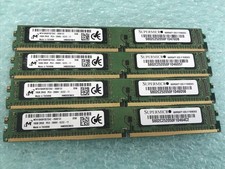
Micron 64GB(4 x 16GB) MTA18ADF2G72AZ-2G6E1ZI PC4-2666V ECC DDR4 UDIMM RAM R1076A
$319.95
RAM G. SKILL Ripjaws V Series 16GB 2x8GB DDR4 3200 CL16 F43200C16D16GVKB Matched
$78.00
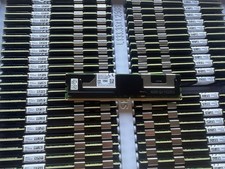
NMA1XXD128GPS Intel Optane 1X128GB DDR4 PC4-21300 DCPMM Persistent Server Memory
$75.00
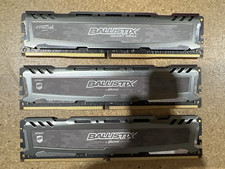
LOT OF 3-Corsair BLS8G4D240FSB.16FBD2-8GB Ram Sticks (24GB Total) (205)
$88.00
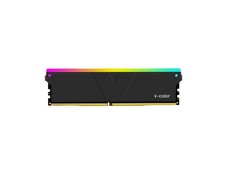
V-Color 16GB (2 x 8GB) DDR4 3200 (PC4 25600) Desktop memory Model
$285.62