-
Senior Member
registered user
xawtv is SUPPOSED to be able to capture video, but i haven't heard anyone getting this working yet.
I used the webcam utility that comes with xawtv and didn't really care for it too much as (IMHO) it was pretty heavy on the configuration end to get it to do what I wanted. Now using a very simple utility called motion.
http://motion.sourceforge.net/
I run everything from a CD so I carry around a thumbdrive with basic utilities, scripts, and drivers I need. On there I have the logitech quickcam-usb drivers and a compiled motion binary.
There are limitations; motion works on motion detection, so you can't get a standard 30FPS video like you can with some web utilities. However, it does a great job of letting you set the thresh hold sensitivity. When it detects motion, it takes a picture. The resulting jpgs I join together to make a DIVX avi file, or just watch via slide show in kuickshow.
Usually use the command:
./motion -Q -L85
for decent framerate and no annoyin beep everytime a jpg is rendered.
Its not perfect, but it is very small and portable, and I found easiest to deal with. Also great for just testing a webcam.
As a final note, if you want standard 30 FPS avi type video, I do the same sort of thing by carrying around a compiled version of streamer which is part of the mplayer package, but I just use this utility. These files are good quality, but get HUGE quickly (approx 10M a minute rough guess). I never have been able to get mencoder working with my logictech quickcam, keeps skwauking about not having a bttv device attached (duh!). Theortically it should work with better quality and smaller video foot print.
~pau1
Similar Threads
-
By Keithj in forum Hardware & Booting
Replies: 0
Last Post: 07-03-2005, 02:10 AM
-
By rrfish72 in forum Hardware & Booting
Replies: 2
Last Post: 01-22-2005, 02:16 PM
-
By lvenneke in forum Hardware & Booting
Replies: 8
Last Post: 04-21-2004, 08:38 AM
-
By FZ in forum Hardware & Booting
Replies: 8
Last Post: 03-01-2004, 12:45 AM
-
By smarchand291 in forum Hardware & Booting
Replies: 0
Last Post: 11-10-2003, 12:56 AM
 Posting Permissions
- You may not post new threads
- You may not post replies
- You may not post attachments
- You may not edit your posts
-
Forum Rules


Mini Computer Vacuum USB Keyboard Cleaner PC Laptop Brush Dust Cleaning Kit NEW
$13.89

V3 Robot Vacuum and Mop Combo,Self-Charging,5000pa Strong Suction,WiFi/Alexa NIB
$82.00

LEVOIT Cordless Vacuum Cleaner, Stick Vac with Tangle-Resistant Design, Up to...
$167.63
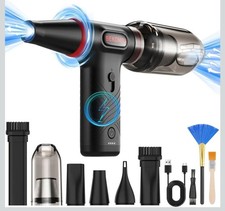
Compressed Air Duster 1 Button Adjustment 12000 RPM Air Blower Car Home Keyboard
$38.99
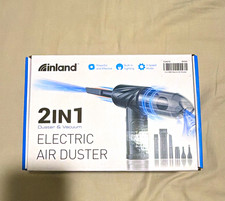
Inland 2-in-1 Electric Air Duster & Vacuum, 3-Speed, Light, USB, Manual
$29.99

Compressed Air Duster Rechargeable Computer Vacuum Cleaner for PC Keyboard Toys
$16.99

2-in-1 Compressed Air Duster & Vacuum, Brushless Motor, 320000RPM
$37.99
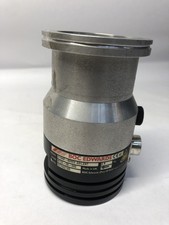
BOC Edwards EXT70 B722-05-000 G1946-80002 Turbomolecular Vacuum Pump ISO63
$100.00

Cordless Handheld Vacuum Cleaner Compatible with DeWalt 20V Battery
$106.14

Cordless Air Duster & Vacuum Cleaner for Keyboard & PC Cleaning - 110000RPM Powe
$53.99



 Reply With Quote