-
Junior Member
registered user
Since knoppix 3.6 does not include the webcam app that comes with xawtv, I had to work around it.
I managed to get the webcam application that comes with xawtv to work, but I had to:
1. su to root
2. copy the xawtv source to /home/knoppix and unzip / untar
3. ./configure -prefix /home/knoppix/xawtv; make; make install
Then I could follow the instructions available at:
http://www.aboutdebian.com/webcam.htm
They give you a sampe webcam.conf file and a webcam.htm file you can put in /var/www. This is nice, as you can edit the webcam.htm file to expand your image or speed up the refresh rate, or put text around your image.
The refresh is sorta slow, but that is ok. The only problem is getting the new xawtv distribution copied over every time I reboot to restart the webcam. I was hoping to run it off a default knoppix install, but this is not too bad. Once it starts running, it should run until the power kicks.
And I need to set a password on the webcam.htm file. I assume that will be relatively easy with htpasswd.
Oh, and the 3com vicam based card is flaky. I can run xcam and set the brightnes and color, but xawtv of gqcam may or may not run. Basically, it looks like xcam initializes something that allows the other applications to run, but those applications don't retain those settings so you have to run xcam again.
Similar Threads
-
By Keithj in forum Hardware & Booting
Replies: 0
Last Post: 07-03-2005, 02:10 AM
-
By rrfish72 in forum Hardware & Booting
Replies: 2
Last Post: 01-22-2005, 02:16 PM
-
By lvenneke in forum Hardware & Booting
Replies: 8
Last Post: 04-21-2004, 08:38 AM
-
By FZ in forum Hardware & Booting
Replies: 8
Last Post: 03-01-2004, 12:45 AM
-
By smarchand291 in forum Hardware & Booting
Replies: 0
Last Post: 11-10-2003, 12:56 AM
 Posting Permissions
- You may not post new threads
- You may not post replies
- You may not post attachments
- You may not edit your posts
-
Forum Rules


TP-Link TL-SG105, 5 Port Gigabit Unmanaged Ethernet Switch, Network Hub, Ethern
$15.25

NETGEAR GS308EP Essential Series 8-Port Gigabit PoE+ Unmanaged Switch
$44.99

Cisco WS-C3650-12X48UR-L 48-Port Stackable Layer 3 8x10G SFP+ Port Switch
$129.99

5Ports Gigabit Network Switch w/ 4 PoE+ Ports Total 52W each port 30W Plug&Play
$31.99

TP-Link TL-SG105 5-Port Gigabit Ethernet Unmanaged Metal Desktop Network Switch
$19.99

5 Port Gigabit Unmanaged Ethernet Switch, Home Network Hub, Office Ethernet S...
$9.64

10-Port Gigabit PoE Network Switch with 8 PoE+ Ports with 2 Combo SFP Slots 125W
$39.99
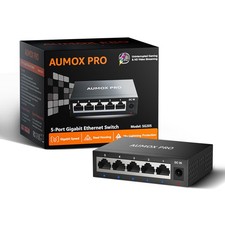
5 Port Gigabit Unmanaged Ethernet Switch, AUMOX PRO Home 5|5*1G Port, Black
$8.95

Cisco Catalyst 2960-48TT-L 48-Port Fast Ethernet Managed Rackmount Switch
$46.99

TP-Link Omada SG3428 24-Port Gigabit L2+ Managed Switch 4x SFP w/ Ears
$99.99



 Reply With Quote