

 Reply With Quote
Ok, found the solution, just in case it ever comes up again. Upgrading the system BIOS to the most recent version (at this time A30) and then specifying no boot options allowed it to work fine.


When booting Knoppix 3.4 normally, X will only run in 640x480 resolution, no matter what is specified at boot time (i.e. screen=1024x768 doesn't do anything). Starting with fb1024x768 causes X to not be able to start at all. However, I have discovered that starting with the fb1024x768 option and (after X fails to start) then changing the driver in XF86Config-4 from "fbdev" back to "i810", X will then start in 1024x768. The only problem now (aside from that being kind of a hassle to do every boot) is that the colors seem a little off. I can't tell what depth it's actually running at now, but it looks like 256 colors.
Anyway, does anyone have any advice on what's going on here?
Ok, found the solution, just in case it ever comes up again. Upgrading the system BIOS to the most recent version (at this time A30) and then specifying no boot options allowed it to work fine.
 Posting Permissions


🔀 Juniper Networks EX2300-C-12P 12× Gigabit PoE+ • 2× 10G SFP+ Compact Switch ⚡
$109.99

Juniper EX2300 12-Port Gigabit PoE+ Managed Network Switch P/N: EX2300-C-12P
$149.99

Juniper Networks EX2300-48P 48-Port PoE Gigabit Switch (Renewed)
$361.91

Juniper QFX5100-48S-3AFI 48-Port SFP+ 6 QSFP+ 2x SFP/RJ-45 Management
$249.97

Juniper MX204 +JUNOS and Dual Power Supply
$7299.99
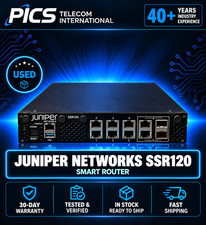
Juniper Networks SSR120 Smart Router
$500.00

Juniper EX2300-C 12 Port Compact Gigabit Switch EX2300-C-12p Discounted Cosmetic
$79.86

Juniper EX2300-C-12P 12 Port Gigabit PoE+ 2x10G SFP+ Managed Compact Switch
$179.99

Juniper EX3400-24P 24-Port PoE+ GbE + 4-Port 1/10Gb SFP Switch
$245.00

Juniper Networks Mist Wireless Access Points, Model AP45
$59.99