
I have just done a HD install and everything is fine except my floppy and cdrom drives are not mounted. Is there a command to mount them, I'm Linux challenged - for the time being anyway.
Jack


I have just done a HD install and everything is fine except my floppy and cdrom drives are not mounted. Is there a command to mount them, I'm Linux challenged - for the time being anyway.
Jack
Floppy and cdrom are not mounted because Knoppix mounts them in the root "/" directory. You will see them there. Also look at your /etc/fstab file. It will show where and how they are mounted. i.e.:
/dev/fd0 /floppy vfat defaults,user,noauto,showexec,umask=022 0 0
/dev/cdrom /cdrom iso9660 defaults,ro,user,noexec,noauto 0 0
Because of the "noauto" option in the fsab file they are not automatically mounted on boot. Remove the "noauto" option to make them available.
The "Floppy disk" icon on the desktop points to the wrong mount point. Change its properties to reflect /floppy or change the mount point in fstab to /mnt/floppy.
To mount from the command line:
mount /dev/cdrom /your/mount/point
and
mount /dev/fd0 /your/mount/point
Good Luck!
Mike
Thanks,
That worked - had to remember how to use 'vi'
Any ideas how to mount the windows partition, I tried the same line in fstab as when Knoppix is running from the CD, but I get a /hda1 does not exist.
mmaki
1.) open a console
3)type “su” to get superuser, and enter the password when requested
4)type “mkdir win” to create the directory “win”.
5)still as superuser, type “kedit” or "vi "
6)open /etc/fstab in “kedit” or "vi "
7)at the end of the file create a new line that looks like the following:
/dev/hda1 /mnt/win vfat defaults,exec,umask=000 0 0
(Note that hda1 is assuming that Windows is located on the first partition of the first hard drive on the first ide controller on your system)
save the file and exit
9)reboot your computer
You should now be mounted to your windows hard disk (also writable!).
Enjoy!
paul icon_lol.gif icon_cool.gif
Thanks again
Back again,
How do I change permissions on the windows drive so I can write to it. I saved an email attachment to a directory in /home/knoppix, but get a "Could not change permissions for
/mnt/win/Temp/designchanges.dwg" when I try to copy it to the windows directory. This was using drag and drop. Tried to do it from a command window (user and as root), but get a directory doesn't exist when doing a cd /Downlaod.
I've had problems writing to my windows (vfat) partitions unless I'm root. There are some ways around this, what version of windows are you using? What windows filesystem?
rock
I'm using Win 98 on this machine.
The funny part is that when I look at the win box - either in linux or windows the file is there.
Forgot the file system is fat32
 Posting Permissions


Samsung 2.5" 870 EVO SSD SATA III 250GB 500GB 1TB Internet Solid State Drive Lot
$100.00
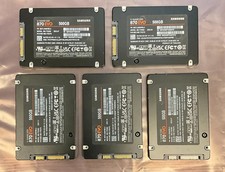
LOT OF 5 Samsung 870 EVO 500GB 2.5" SATA SSD TLC DRAM 95% or Better
$250.00

Netac 120GB 256GB 1TB 2TB Internal SSD 2.5'' SATAIII 6Gb/s Solid State Drive lot
$119.99

Western Digital Blue 3D NAND 500GB Internal 2.5" SSD - WDS500G2B0A
$49.99

Netac 2TB 1TB 512GB 256GB Internal SSD 2.5inch SATAIII Solid State Drive lot
$549.00
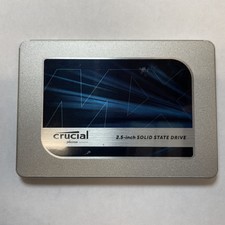
Crucial MX500 1TB 2.5" SATA III Internal SSD CT1000MX500SSD1
$99.99

Samsung 860 EVO 250GB SSD MZ-76E250 2.5" SATA III Solid State Drive -
$36.99

Fanxiang 256GB 512GB 1TB 2TB 4TB SSD Lot 2.5'' SATA Internal Solid State Drive
$42.99

Netac 1TB 512GB 256GB Internal SSD 2.5inch SATA Solid State Drive lot PC Laptop
$221.00
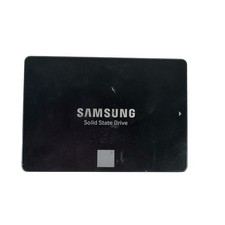
Samsung 250GB SSD 850 EVO 2.5" Internal Solid State Drive MZ7LN250 MZ-75E250
$25.99

 Reply With Quote