-
Senior Member
registered user
running nx server on knippix 3.3
Well, Im running nx server on knoppix 3.3 hd install and its very fast compared to a
windows terminal server. It was easy to install, but I have a font problem so its not
perfect yet. All text show up as boxes and I have not found out how to fix this yet. 
-
Senior Member
registered user
metavoid, would you consider posting a quick "howto" for this thread? I would be interested in how you configured sources.list and what apt-get commands you ran for installation. Post installation, I would be interested in how you configure the server and start the service to accept connections from remote clients.
This is something that I have been meaning to do on a remaster, and I would LOVE to benefit from anothers experiences.
Thanks in advance for any help you may be able to offer.
Regards,
~pau1
-
Senior Member
registered user
pau1knopp
I didn't do anything wild.
1) I download the deb files from nomachine.com
2) Installed the clint first (important) with dpkg --install
then the server same way. No errors.
3) then went to nx home folder
cd /usr/NX/bin
4) added a user
nxserver --useradd knoppix
4) started ssh, maybe you should use nxssh
5) Started the server with
nxserver start
6) started the nxclient and it just connected.
There was a font problem. I fixed that by setting all
font to luxi sans inside the client using kcontrol.
Nothing more.
-
Senior Member
registered user
Darn, was hoping you had used the GPL'ed versions available from Kalyxo (http://www.kalyxo.org/debian/) Maybe I'll try the commercial version first since it is an easier install, and I can see what a working system would work like.
Has anyone loaded the GPL'ed version (freenx server)? I know they kludged a system together for LinuxTAG, and I would like to do the same thing.
Regards,
~pau1
-
Little boxes instead of letters
Metavoid said:
Well, Im running nx server on knoppix 3.3 hd install and its very fast compared to a
windows terminal server. It was easy to install, but I have a font problem so its not
perfect yet. All text show up as boxes and I have not found out how to fix this yet
I'm having that problem too. Does anyone know how to fix it?
In my case the client is running on a Debian system. I grabbed the client from http://debian.tu-bs.de/knoppix/nx/nxclient-1.4.0.tar.gz. The server is Knoppix 3.6 from the CD. If I have the knoppix system be a client for its own server, the problem doesn't appear. Nothing shows up in my ~/.nx/S-Knoppix-1000-3FDD3A283E7600EC3AEFC3F8B1E27113/errors.
-
Senior Member
registered user
UPDATE:
I changed the font to luxi and it was displayed normally.
I simply connected to the server and sat the font inside the session and
all boxes went away.
-
Senior Member
registered user
With Fabian's help, I have put together a klik installation for the FreeNX server and NoMachine NX client (this is a 7.2 MB download).
You can install it from http://klik.berlios.de (direct link: klik://nx if you have the klik client installed). I have tested it with Knoppix 3.3
The klik installation automatically leads you through creating a user and starting the server and client.
probono
-
Senior Member
registered user

Originally Posted by
probono
With Fabian's help, I have put together a klik installation for the FreeNX server and NoMachine NX client (this is a 7.2 MB download).
You can install it from
http://klik.berlios.de (direct link: klik://nx if you have the klik client installed). I have tested it with Knoppix 3.3
The klik installation automatically leads you through creating a user and starting the server and client.
probono
Very nice. Thanks probono. This is quite nice and I imagine it will come in handy for a lot of people.
-
Senior Member
registered user
Originally Posted by
probono
With Fabian's help, I have put together a klik installation for the FreeNX server and NoMachine NX client (this is a 7.2 MB download).
You can install it from
http://klik.berlios.de (direct link: klik://nx if you have the klik client installed). I have tested it with Knoppix 3.3
The klik installation automatically leads you through creating a user and starting the server and client.
probono
Hmm. It doesn't seem to be working for me. Granted I am running an old knoppix install, but most klik apps run without any problem.
I get the following error message when I try to install the NX stuff from Konqueror:
Error starting /home/knoppix/wrapper in order to use nx.
When I try running the wrapper from the command line, I get the following message:
./wrapper: line 23: /home/knoppix/nx/nxstart: No such file or directory
Upon further investigation I see that there is a copy of nxserver.tar.gz inside ~/nx. Something is wrong with this file. If I do, tar zxvf nxserver.tar.gz, I get the following message:
gzip: stdin: not in gzip format
tar: Child returned status 1
tar: Error exit delayed from previous errors
It would seem that the, klik script cannot open this file. I have tried installing three or four times now and I always get the same result. Anyone else having a problem like this?
-
Senior Member
registered user
Originally Posted by
probono
With Fabian's help, I have put together a klik installation for the FreeNX server and NoMachine NX client (this is a 7.2 MB download).
You can install it from
http://klik.berlios.de (direct link: klik://nx if you have the klik client installed). I have tested it with Knoppix 3.3
The klik installation automatically leads you through creating a user and starting the server and client.
probono
PB, I tested this with Knoppix 3.4v5-17-4 and all is well. However, what I REALLY want is to remaster with this service on version 3.4
Can you tell me what .deb packages you used to get this working? I remastered using the packages on this link
http://www.knoppix.net/forum/viewtop...light=nxserver
and got beau coupe errors when trying to run it (missing config files, can't find dis and dat, etc.)
Any suggestions greatly appreciated.
~pau1
Similar Threads
-
By Henk Poley in forum MS Windows & New to Linux
Replies: 0
Last Post: 05-25-2005, 12:31 PM
 Posting Permissions
- You may not post new threads
- You may not post replies
- You may not post attachments
- You may not edit your posts
-
Forum Rules


Dell Poweredge R720 8SFF 2.5" x Xeon E5-2680 v2 2.8GHz 20-Cores 128gb 4x Trays
$349.99

Dell EMC PowerEdge R440 Xeon silver 4215 2.5GHz 16 GB ram 2x 550W PSU No HDD
$275.00

Dell PowerEdge R420 Rack Server Intel Xeon 1.90GHz Six-Core 8GB DDR3 RAM
$95.00

Dell PowerEdge R730XD Server 2x E5-2695 V4 = 36 Cores H730p 32GB RAM 4x trays
$649.99

Dell Poweredge R720 8SFF 2.5" 2x Xeon E5-2680 v2 2.8GHz 20-Cores 64gb 4x Trays
$259.99

Dell PowerEdge R620 2x Xeon E5-2630 v2 3.1GHz 2.5" 4-BAY 32GB RAM No OS 2x 495w
$168.95
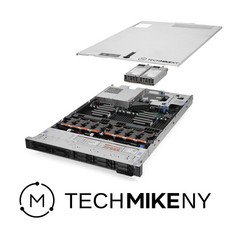
Dell PowerEdge R640 Server 2.10Ghz 32-Core 64GB RAM Energy-Efficient
$649.95

Dell PowerEdge R440 Server 8 Bay SFF 1x Xeon Gold 6209U 48GB 3x Caddies DVD
$499.00

Dell PowerEdge FC430 Blade Server 2x Xeon E5-2630v4 20 Cores FX2 FX2s No RAM/HDD
$119.99

DELL R640 10SFF Server 2x Gold 6152 2.1GHz =44 Cores 64GB H730p 4xRJ45
$959.00



 Reply With Quote