

 Reply With Quote
Why not just copy or move those manpages to where they ought to be?


I compiled an app which created a directory of man pages in /home/knoppix/xawtv/man, but how do I access those man pages?
I've tried modifying $MANPATH and /etc/manpath.conf to no avail...
Why not just copy or move those manpages to where they ought to be?
Just for fun, I dinked around with making a "man" page for a fictitious command and storing it in ~\bin\man, then making it accessible. (OK, some people have a strange idea of "fun.")
fingers99 is right; it would be easiest just to copy the man files somewhere on your manpath. But if you don't want to...
Your man files will have to have the extension of the section they're in. (Manual pages are divided up into sections 1-9.) For example, an uncompressed man file that goes in section 1 might be named "aumix.1" -- or, compressed with gzip, "aumix.1.gz".
Further, they have to go in a directory with the section number appended to it -- "aumix.1.gz" would live in a directory called "man1". (Actually, it's more complicated than this, especially when you get man pages in different languages involved.)
If xawtv created "man1" and "man5" directories in /home/knoppix/xawtv/man, then put the *.1 and *.5 files in the correct places, you're set.
For example, my fictitious man page (for the fictitious "coffee" command) is named "coffee.1". It lives in ~/bin/man/man1. To add it to my manpath, I put
in the MANDATORY_MANPATH section of /etc/manpath.config. (Note that the "man1" directory is left off!) Then I can type "man coffee" at the bash prompt to display it.Code:MANDATORY_MANPATH /home/eco2geek/bin/man
I could have added a line to /etc/profile like this:
MANPATH="/usr/share/man:/usr/X11R6/man:/usr/local/man:/usr/man:/home/eco2geek/bin/man"
(note that the "man1" directory is still left off!) but my system would then ignore /etc/manpath.config, and I'd lose its benefits.
 Posting Permissions


NETGEAR GS308EP Essential Series 8-Port Gigabit PoE+ Unmanaged Switch
$39.99

TP-Link TL-SX105 10GB 5-Port Switch - Unopened
$195.00

NETGEAR 5-Port Gigabit Ethernet Unmanaged Switch (Gs305) - Desktop Quiet Fanless
$25.99

10-Port Gigabit PoE Network Switch with 8 PoE+ Ports with 2 Combo SFP Slots 125W
$39.99

TP-Link TL-SG105 5-Port Gigabit Ethernet Unmanaged Metal Desktop Network Switch
$19.99

TP-Link TL-SG105, 5 Port Gigabit Unmanaged Ethernet Switch, Network Hub, Ethern
$15.25

Cisco Catalyst 2960-48TT-L 48-Port Fast Ethernet Managed Rackmount Switch
$46.99

5 Port Gigabit Unmanaged Ethernet Switch, Home Network Hub, Office Ethernet S...
$14.86
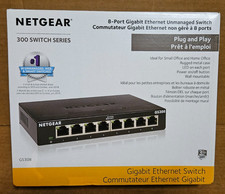
NETGEAR GS308 8-Port Gigabit Ethernet Unmanaged Switch New - OPEN BOX - not used
$28.99

~NIB~ Netgear GS728TPP-300NAS V3 24 PORT GIGABIT POE MNGD W. 4 SFP PORTS
$349.95