-
restoring power after boot to centrino wireless card

I've checked the FAQ's, read the documentation, searched the heck out of Google, and called tech support from my computer manfacturer (who hung up when they found out it was a Linux ssue) - so if I've missed the blindingly obvious answer, please take pity and show me.....
Not sure if this is a hardware or networking issue, so I'm putting it here.
I'm running an Averatech 5110H laptop w/ Centrino wireless. 3.4 recognizes all the hardware and I have been able to configure it all based on all the great posts in the networking forum. I believe it will work - IF I can figure out how to get power to the wireless network card. There's some kind of setting somewhere between bios and windows that makes the wireless power down. When windows comes up, it powers the wireless back up. When I do a restart from windows to boot using the knpx CD, the wireless power stays on - until the proprietary boot screen flashes just prior to the knpx screen, and then the wireless card powers down and I don't know how to turn it back on from knpx. Can't find any boot cheatcodes to cover this one. This laptop has a proprietary button system that allows a user to manually turn on/off the wireless card; only problem is that the buttons are controlled by a program that loads at windows startup - so I can't just press the button to turn it on in knpx. There has got to be a simple answer for this, but it is hiding from me pretty well.....
If anyone has ideas, please share 'cuz I'm fresh out.....
-
Senior Member
registered user
adjt8r,
When you said you contacted Tech Support for your manufacturer, was that the same one who created that little "program" that is controlling the device in Windows? If not, you might try hitting up the developer of the program, to possibly, see if they may be able to "port" it to Linux, or maybe, a Linux programmer can get ahold of the source for that program, if the developer would be open to releasing it as "open source".
I know, I know, the odds of a company giving away that "proprietary" privied information, is more along the lines of having the "second coming of God" as far as betting is concerned, but, its worth a try.
Sorry, if I don't have that much background on your situation, I've never worked on the hardware you speak of, probably never seen it either, but, I can maybe help in some avenues of research, at least. 
Hopefully, this helps, a little,
Ms. Cuddles
-
thanks, I'll send them an email and see what they say. Like you said, It's worth a shot.
Similar Threads
-
By sd5867 in forum Networking
Replies: 0
Last Post: 07-10-2005, 06:09 AM
-
By sparticus in forum Laptops
Replies: 9
Last Post: 10-23-2004, 12:55 AM
-
By repwatuso in forum Laptops
Replies: 0
Last Post: 07-29-2004, 07:18 PM
-
By manx in forum Hardware & Booting
Replies: 2
Last Post: 07-06-2004, 06:22 PM
-
By headshot_001 in forum Networking
Replies: 26
Last Post: 06-08-2004, 05:46 PM
 Posting Permissions
- You may not post new threads
- You may not post replies
- You may not post attachments
- You may not edit your posts
-
Forum Rules


Dell EMC PowerEdge R740 8 Bay Server w/ 32GB RAM 2x GOLD 6132 2x 1600W PSU H730p
$499.88

DELL POWEREDGE R340 Server | Xeon E-2126G 64GB RAM PERC H330 (Onboard)
$399.95

Dell EMC PowerEdge R440 Xeon silver 4215 2.5GHz 16 GB ram 2x 550W PSU No HDD
$275.00
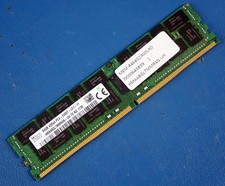
SK HYNIX HMAA8GL7MMR4N-UH 64GB PC4-2400T RDIMM Server RAM
$289.95

Dell PowerEdge C4130 1U AI GPU Server | 2x E5-2680 v3 | 32gb Ram | 2x 1600W
$409.99

Dell Poweredge R730xd 12LFF 2*2660v4 4*1Gbe h730 2x 750W Server CTO
$308.00
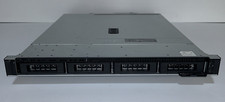
Dell PowerEdge R240 Intel Xeon E-2144G 3.6GHz 16GB DDR4 ECC NO HDD 250W
$149.00

Supermicro 2U GPU Server SYS-2029GP-TR 2x Xeon 6130 32C 6x PCIe 3.0 x16 Slots
$745.00

Dell Intel X710-DA2 5N7Y5 Dual-Port 10GbE SFP+ PCIe 3.0 x8 Network Adapter
$27.50
Windows Server 2025 Standard✔ 24-CORE✔ 10 CALs✔ 50 RDS✔ Remote Desktop EP2-25205
$317.56



 Reply With Quote