

 Reply With Quote
Carefull, you might not able to log into kde if you use cap GLX.
I would suggest you use command :
1) glxinfo
2) xdpyinfo|more
to check either your glx working or not.


in case anyone else has this issue setting up the nvidia driver under 2.6.6
v3.4 5-17 2000
ive read several posts and articles from multiple sources ann all of them said the same thing
load glx
this just wouldnt work for me
so out of the blue i tried
load GLX (note the caps)
and bam it worked
so if you got nvidia loaded but glx dosnt seem to be working try caps
in fact im running 1.0.6106 the lates instead of the 5223 or whatever version is on the posts
ony draw back ive had is dosnt seem to recognize my 5700LE but the vanilla verison seems to work find
Carefull, you might not able to log into kde if you use cap GLX.
I would suggest you use command :
1) glxinfo
2) xdpyinfo|more
to check either your glx working or not.
Another tip:
To test your frame rate, try this command :
glxgears
 Posting Permissions


Intel Core i7-9700 Octa-Core 3 GHz Desktop Processor LGA 1151
$79.99

INTEL CORE I9-10940X X-SERIES PROCESSOR | 3.30GHZ | SRGSH
$179.99
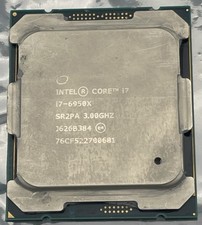
Intel Core i7-6950X Extreme Edition 3.0GHz Processor SR2PA LGA2011 10 Core CPU
$162.95

Intel Core i7-4770 3.40GHz Quad Core SR149 LGA 1150 CPU Processor tested
$35.00

AMD Ryzen 5 5500 Processor ( read Description)
$59.00

Intel Core i7-3770K 3.5 GHz Processor
$39.00

Intel Core i5-12500T SRL5W 2GHz 18MB 6 Core Socket LGA1700 Desktop CPU Processor
$114.99

Intel i7-8700 Coffee Lake 3.2GHz 6-Core Max Turbo 4.6GHz Processor
$67.99
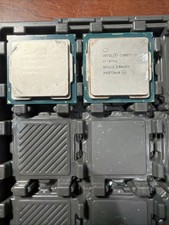
Intel Core i7-9700 3.0 GHz Octo-Core (SRG13) Processor
$150.00
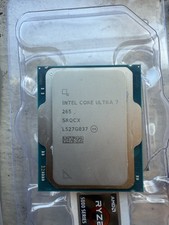
$210.00