-
Linux Newbie, new to forum -need help, re. HD install
Hi!
I'm new to Linux, and new to this forum. I've read around eighty messages on the forum, so far, and haven't found what I need - so, I'm seeking some assistance via feedback from more knowledgeable people (just about anybody & everybody else in the entire Linux community).
My copy of Knoppix is a CD I purchased from XPLinux.biz. It seemed to be the most up-to-date of what I saw offered, so I bought it. Downloading via a 26K internet connection isn't an option. Higher rates than 28K aren't available from here in the middle of the great north woods, unless you go to satellite. I can't afford such. I accept the 26K because intergate.com cost only half as much as any other options that ae available - and, the news service is top-notch via their contract w/ Supernews. Anyway, my Knoppix CD allows choice of boot using v2.4 or 2.6 kernels.
I've picked up, that to do a HD install of Knoppix, you need to run a script; either "knx-install" or "knoppixinstall". Problem is, I don't find any such files on my Knoppix CD, whether inspecting directories using Linux or Windows. Using Ctrl-Alt-F1 to get a console from within Linux desktop, then typing in either script name returns a file not found error message.
I discovered & bookmarked the page where Knoppix installer scripts may be obtained ( http://debian.tu-bs.de/knoppix/installer/ ), but it seems that the only way to get these is if you've got all your ducks in a row, re. Linux usage of internet functions; i.e. a fully functioning Linux setup could easily get them - but, a newbie who only get at the internet via Windows (so far)? Doesn't seem like it would work.
So, I guess I'll finish with this inquiry:
How can I find or obtain the script(s) needed to do a HD install of KNoppix?
Thanks in advance, for any help you can give me with this.
-
Senior Member
registered user
Let knoppix load fully, then pop open a console and do:
sudo knx-hdinstall
(this may not be the installer you have -- or want -- but the installers should be in /usr/local/bin).
If you can post the Knoppix version you have, someone may be able to help further.
-
Hi there, fingers99! Thanks for the quick response!
After I finished my online session, I went away for a while - had dinner, watched some T.V., did some woodworking, etc. Returning to the workdesk, I decided to have another crack at it. (I'd had the chance to sort out a lot of what I'd read here.) I'd learned about the existence of cfdisk, and picked up several other tidbits. The 2 things that had stuck out in my mind as most significant for success, were 1) Using the text-mode, and 2) Using su. It took 3 attempts, but I managed to perform a HD install. I chose the Debian mode, putting LILO into the MBR. My HD is 10 MB Quantum Fireball, so I partitioned 5 GB as primary Linux and 300 MB as Linux swap (the backup machine I installed on has 128 MB RAM). That leaves approx. another 5 GB for experimenting with the RH9 Pro CD set I bought. (Couldn't get it to work, which is why I tracked down the info re. Knoppix HD install.) It took booting the CD for access to QTparted, to be able to make the primary ex3 type stick (the cfdisk setting didn't stick) - but I think was what made the 3rd installation attempt succeed; the final prep needed. I did all the installation attempts from runlevel 2, using knx2hd.
The LILO menu now has 3 options on it: 1) Linux, 2) Linux 2.4, and 3) Linux 2.6. So far, I've only used the plain "Linux" option. The only glitch in the installation that I've discovered so far, is that it didn't find & configure the sound card the way the Knoppix CD booting does.

Originally Posted by
fingers99
Let knoppix load fully, then pop open a console and do:
sudo knx-hdinstall
...(snipped)...
I understand the su command invokes the superuser identity, but what does sudo do?
...and, how does one close the console to return to X, after finishing the su tasks that made the console necessary? I've been afraid to use the console from the HD installation, because I don't know that. From CD boot, there was no problem - all settings would be reinitialized during the next boot. But, from HD, I suspect an improper shutdown could really screw things up.
Scruffy
http://scruffyeagle.com
-
Senior Member
registered user
Originally Posted by
scruffyeagle
I understand the su command invokes the superuser identity, but what does sudo do?
sudo is "super user do". It lets you exectue commands AS root without actually becoming root. Of course your username must be in /etc/sudoers for this to work.
...and, how does one close the console to return to X, after finishing the su tasks that made the console necessary? I've been afraid to use the console from the HD installation, because I don't know that. From CD boot, there was no problem - all settings would be reinitialized during the next boot.
Methinks we're talking about 2 different things. A console (a.k.a. shell or terminal) is just another window that runs inside of X.
You can switch tty's however (virtual terminals) w/ the CTRL+ALT+F? keys. Example:
CTRL+ALT+F1 gives you a virtual terminal and CTRL+ALT+F7 brings you back to X.
But, from HD, I suspect an improper shutdown could really screw things up.
Well it's certainly advisable to shut down properly but it's not a big concern (at least not like wimpdows). Linux journalized filesystems don't drop file fragments al over the hdd when it gets shut down improperly.
-
sudo is "super user do". It lets you exectue commands AS root without actually
becoming root. Of course your username must be in /etc/sudoers for this to work.
Aha! I understand.
You can switch tty's however (virtual terminals) w/ the CTRL+ALT+F? keys. Example:
CTRL+ALT+F1 gives you a virtual terminal and CTRL+ALT+F7 brings you back to X.
Yes, that neatly answers my question.
Well it's certainly advisable to shut down properly but it's not a big concern (at least not like wimpdows). Linux journalized filesystems don't drop file fragments al over the hdd when it gets shut down improperly.
That, also, is very good to know. In Windows, there's always the fear that accidental loss of power will wipe out your filing system or work files you were only half finished working with, 'cause it wasn't keeping itself up-to-date w/ current events.
Thanks for all the info!
Scruffy Eagle
http://scruffyeagle.com
Similar Threads
-
By rickwinters in forum Hdd Install / Debian / Apt
Replies: 2
Last Post: 04-24-2004, 09:28 PM
-
By Sticky_Keyboard in forum The Lounge
Replies: 1
Last Post: 02-24-2004, 04:36 PM
-
By AndrewVDP in forum General Support
Replies: 4
Last Post: 06-23-2003, 04:15 AM
-
By ihatemyusername in forum General Support
Replies: 5
Last Post: 01-03-2003, 09:27 AM
-
By aay in forum The Lounge
Replies: 5
Last Post: 11-28-2002, 09:19 PM
 Posting Permissions
- You may not post new threads
- You may not post replies
- You may not post attachments
- You may not edit your posts
-
Forum Rules

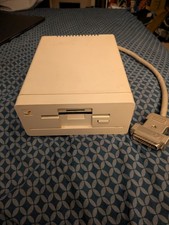
Commodore Amiga 1010 External 3.5” Floppy Drive A500 A1000 A2000 Tested Working
$169.99
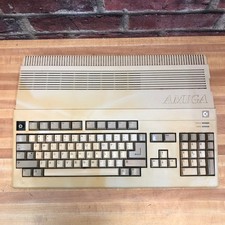
Commodore Amiga 500 Vintage Computer A500 No Power Supply
$249.95
ARexx User's Reference Manual The REXX Language for Amiga 1000 Vintage Computing
$22.12
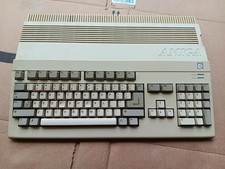
Vintage Commodore Amiga A500 Computer with Power Supply & Tank Mouse - Untested
$400.00
TerribleFire TF1260 Amiga 1200 Accelerator - 68060 Rev.6 50MHz 128MB RAM + IDE
$499.00
Vtg Amiga Computer Monitor Commodore 13" Screen W/ Power Cord Powers On As Is
$279.95
Commodore Amiga 600 Computer w/ PIStorm Framethrower Recapped, Caffeine OS NTSC
$799.99
DKB MegAChip 2MB CHIP RAM for Commodore Amiga 2000 2000HD 2500 Video Toaster LRG
$339.98

ZuluSCSI Compact RP2040 - an affordable SCSI-2 (and 1) emulator w/ USB-C
$45.00
OPEN BOX - AMIGA Genlock Interface Vintage Video Adapter 1300- GREAT
$329.95



 Reply With Quote