-
Administrator
Site Admin-

Originally Posted by
Berserkier
Don't I have to configure my user name and password somewhere?
Well, you've never mentioned the specific cable company or the exact model of equpment you use. With the cable companies I've seen (mostly Time Warner / Road Runner), no, you do not. But post the specifics of the cable company if you want someone to give more details. Also, you talked about connecting through a Linksys device you called a wireless hub. I've never seen a wireless hub, and although such a device could exist I really expect you are talking about a Linksys Wireless Router. The router is not a hub. It's a switch (the differnce in the two terms is important). If you are using a Linksys Router then you will do any setup information you need to do in the router itself. For most DSL (PPPoE) connections you do need to let the router provide a uers/password when connecting, but for most cable connections you do not. In all cases the Linksys router will take care of the connection for you and the individual computers do not deal with it at all. So it's important to set up the router to poperly connect to your service provider (I was thinking this had already been done, likely under Windows or a MAC OS, but now am not so sure). Then just jack Knoppix into the router to be sure you can connect to it and the Internet wired. Only then should you start fighting the wireless support in Linux, which is unfortunately not there for all equipment due to hardware makers not releasing important information to the Linux community.
By the way, if you do really have a hub rather than a NAT Router, then you very well might not be able to connect to the cable company through it, at least not with multiple computers at the same time (since your cable company is likely assigning you only one IP address). But I'll wait until you confirm what you really have before we open that can of worms.
Similar Threads
-
By blackbird in forum General Support
Replies: 5
Last Post: 12-28-2004, 01:05 AM
-
By mpeden in forum Networking
Replies: 2
Last Post: 11-29-2004, 11:17 AM
-
By mpeden in forum Networking
Replies: 6
Last Post: 11-29-2004, 12:32 AM
-
By tkrishna in forum General Support
Replies: 3
Last Post: 05-11-2004, 05:36 AM
-
By unclebulgaria in forum General Support
Replies: 4
Last Post: 10-17-2003, 07:01 PM
 Posting Permissions
- You may not post new threads
- You may not post replies
- You may not post attachments
- You may not edit your posts
-
Forum Rules


Yealink T48S VoIP/SIP Phone, 2 x Gigabit Ports PoE 7" Color SIP-T48S | TESTED
$34.95

SIM Bank 32 SIM Card Slots Ethernet SIM Server for GoIP
$400.00

Poly CCX 400 Desktop Business Media Phone VoIP 2200-49700-019
$49.99

Grandstream WP810 Portable Cordless Wi-Fi IP Phone
$49.28

Yealink SIP-T33G IP Phone 4-LineSpeakerphone VoIP Desk Phone Black w/ Power Sply
$25.00

Grandstream HT701 1-Port FXS Analog Telephone Adapter ATA VoIP Gateway -Free S/H
$19.99

5 Allworx Verge 9312 VoIP IP Phone 12-Line Speakerphone Black RJ-45 MPN 8113120
$999.00

Yealink SIP-T44W VoIP Phone 12-Line Gigabit Speakerphone RJ-45 Gray/Black
$44.00
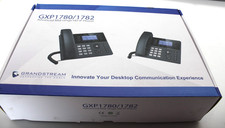
Grandstream GXP1782 8 Line HD IP Phone VoIP - New Open Box
$59.99

Grandstream VoIP Phone Adapter ATA 1-Line Black Ethernet (RJ-45) Micro USB
$27.07



 Reply With Quote