-
Higher screen resolution?
I recently installed Knoppix, (successfully), on to my hard disk and have no problems except that my screen resolution is limited to 1024x768, whereas the 'native' resolution for my monitor, (Hyundai ImageQuest 17"), is 1280x1024. I have tried configuration from the desktop and also the [ xrandr ] command but in both cases 1024x768 is the highest resolution offered. As a newbie, I have almost no idea what I need to do to remedy this.
Any clues?
Thanks
-
Senior Member
registered user
Re: Higher screen resolution?

Originally Posted by
nikkkko
I recently installed Knoppix, (successfully), on to my hard disk and have no problems except that my screen resolution is limited to 1024x768, whereas the 'native' resolution for my monitor, (Hyundai ImageQuest 17"), is 1280x1024. I have tried configuration from the desktop and also the [ xrandr ] command but in both cases 1024x768 is the highest resolution offered. As a newbie, I have almost no idea what I need to do to remedy this.
Any clues?
Thanks
As record reminds me, your monitor is the last thing in the string, whereas, Knoppix, or for that matter, any OS, is the first. What falls between these two things is your video card, which can have a multituide of things that could be keeping your resolution down... From what your saying, your video card must have been able to do this resolution before, but at what color depth? Possibly the card doesn't have enough memory to handle what Knoppix wants it to have, and thus, it down-grades to a lower resolution? Not exactly sure what your resolve is, you might take a look at your /etc/X11/XF86Config-4 file, I think that is where all monitor settings for what Knoppix "thinks" your hardware can handle...
Not the greatest reply to your issue, but at least it is something,
Ms. Cuddles
-
I am sure there are many other ways to accomplish this, however, this is what did it for me. Open a root shell (from the Knoppix menu) and type in kxconfig and press enter, you should see an option for screen resolution. After selecting the correct resolution, quit and save configuration. From the same root shell type restartx and press enter.
-
Open a root shell (from the Knoppix menu) and type in kxconfig, you should see an option for screen resolution. After selecting the correct resolution, quit and save configuration.
It's very satisfying when you get a quick, clear and effective response to a question. The solution above worked first time no problems and I am now looking at a crisp, colourful and higher resolution screen than before.
Thank you DuckDodgers.
Similar Threads
-
By clarjon1 in forum Tips and Tricks
Replies: 18
Last Post: 07-30-2005, 12:31 AM
-
By Darcian in forum Hdd Install / Debian / Apt
Replies: 6
Last Post: 03-29-2005, 02:02 AM
-
By gamezealot in forum General Support
Replies: 13
Last Post: 01-25-2005, 05:18 AM
-
By gitarzysta in forum Hdd Install / Debian / Apt
Replies: 1
Last Post: 05-31-2004, 10:18 AM
-
By Patrick21 in forum General Support
Replies: 6
Last Post: 09-21-2003, 10:07 PM
 Posting Permissions
- You may not post new threads
- You may not post replies
- You may not post attachments
- You may not edit your posts
-
Forum Rules


Netac DDR4 32GB 16GB DDR4 3200MHz UDIMM C16 Desktop Internal Memory RAM Kit
$99.99

A-Tech 8GB DDR3 1600 PC3-12800 Laptop SODIMM 204-Pin Memory RAM PC3L DDR3L 1x 8G
$21.68

Major Brand 16GB (2x8GB) PC3-12800U DDR3-1600MHz DDR3-12800 DESKTOP RAM NON-ECC
$29.99
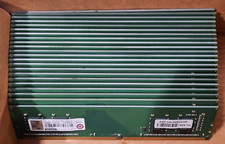
Lot of 88GB (22x4GB) ADVANTECH 1RX16 DDR4 PC4-2400U AQD-D4U4GN24-HP MEMORY RAM
$286.00
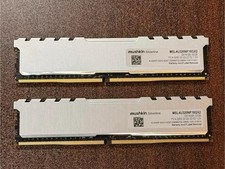
Mushkin Silverline 32GB (2x16GB) DDR4-3200 PC4-25600 Desktop RAM MSL4U320NF16GX2
$135.00
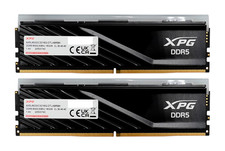
ADATA XPG Lancer Blade RGB 32GB (2x16GB) DDR5-6000 CL30 Desktop RAM Black
$429.94

DDR4 Laptop RAM 4GB 8GB 16GB 32GB 2400 2666 3200 Samsung Hynix
$66.00

Samsung 16GB LPCAMM2 PC5 7500 DDR5 LPDDR5X CAMM2 M561K1LC4DM0-CCTGM RAM Memory
$189.00

LOT OF 4 Samsung 16GB DDR4-2666 ECC UDIMM 2Rx8 PC4-21300 M391A2K43BB1-CTDQ
$469.95
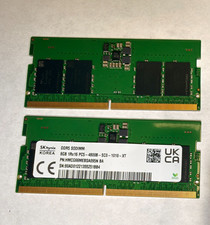
16GB Kit SK Hynix 2 x 8GB DDR5 Laptop SODIMM RAM4800MHz 1Rx16 PC5-4800B
$175.00



 Reply With Quote