

 Reply With Quote
I chose to install to the master boot record. This will give you boot options at startup (Linux, Windows etc.). I am using two hard disk drives, WindowsXP on the primary master (primary drive 0) and Knoppix3.4 on the primary slave (primary drive 1).


Hello,
I am installing knoppix into my HD. I have windows installed so I am going for a dual boot.
Which one is best place to install the boot-loader (LILO), Master Boot Record or Root Partition?
Thank You.
I chose to install to the master boot record. This will give you boot options at startup (Linux, Windows etc.). I am using two hard disk drives, WindowsXP on the primary master (primary drive 0) and Knoppix3.4 on the primary slave (primary drive 1).
ok, thanks
am I going to have the option too if I choose MBR? I don't have two HDs, only one, parted in 3 format type (ntfs, reiser linuxswap).
Thanks
Installing lilo to the MBR seems to be the simplest way to go. The Knoppix installer should find your Windows install, and include it in a boot menu--but if it doesn't, it isn't too hard to add it. And if you had Windows 9x instead of the NT family, that would be your only option other than a separate bootloader like System Commander. Win 9x doesn't have its own bootloader like NT/2000/XP.
If you don't install lilo to the MBR, you will have to add Linux to the NT bootloader--tricky, but do-able--or always boot your Linux install from floppy.
ok thanks,
I have windows xp, I don't see any advantages on starting knoppix from a floppy, so I guess the only way to go is MBR.
Thanks.
PS. What about if I upgrade my system to windows xp from 9x? What is more convenient in this case cenario?
Thanks again
When you upgrade your windows it will hose your MBR so you need to have a bootdisk for linux handy or just boot the Knoppix CD, chroot into your hdinstall and run lilo to get it back.
I used to have ntldr managing windows and lilo but it's a PITA. Every time you change lilo.conf you have to run lilo, make a new bootsector and copy it to C:\ instead of just running lilo.
Another drawback is that ntldr can't boot linux, so first you get the ntldr splash screen where you choose between windows and linux, and when (not if) you choose linux, you get the lilo splash screen where you choose linux again. Ok, so you can have really short timeouts but it's still a lot more convenient to just use lilo or grub.
 Posting Permissions

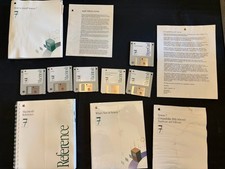
Vintage Apple Macintosh System 7 OS Software 8 Floppy Disks Manuals Original
$99.99
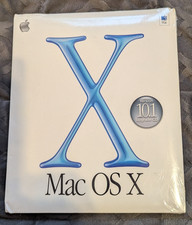
Vintage Apple Mac OS X 10.1 Puma Upgrade CD Box M8621LL/A (2001) Factory Sealed
$22.00
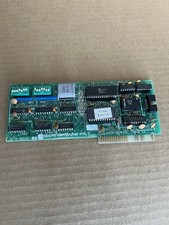
Vintage Apple Super Serial Interface card ll-apple ll llplus lle 670-8020-A 1981
$99.00
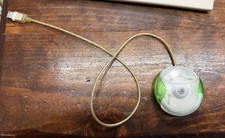
Vintage Apple USB Mouse M4848 Lime Green iMac G3 Hockey Puck - Tested Working
$59.99
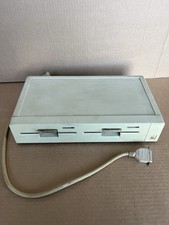
Apple lle Computer Vintage Computer Model A2S2004 untested/no bottom feet
$125.00

Vintage Apple USB Mouse M4848 Bondi Blue iMac G3 Hockey Puck - Tested Working
$22.99
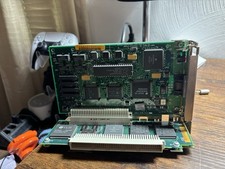
Vintage Apple Macintosh IIsi NuBus Adapter Card 820-0305-01 + Ethernet NB Card
$79.99

Lot of 3 VIntage Apple Computer Rainbow Logo Sticker Decal Macintosh 1980s NOS
$7.00

VINTAGE Apple Mac OS X Computer Monitor
$250.00

Vintage Apple Macintosh M1212 Color Display Monitor *Untested*
$69.99