-
Senior Member
registered user
After reading your other post I see that you DID install it to the hard drive. To boot without the floppy you need to install a bootloader. LILO is already there, it just needs to be put in the right place. If you only have 1 hard drive then edit your /etc/lilo.conf to read like this:
image=/boot/vmlinuz-2.2.19-xfs
label=linux
root=/dev/hda?
read-only
Replace the '?' with whatever partition you want to boot.
Then just rerun lilo like this:
/sbin/lilo
it should boot without the floppy then.
Similar Threads
-
By niceguy167 in forum Hardware & Booting
Replies: 4
Last Post: 10-30-2004, 05:06 AM
-
By proto in forum General Support
Replies: 3
Last Post: 03-17-2004, 11:29 PM
-
By SerenityNet in forum General Support
Replies: 6
Last Post: 04-26-2003, 06:08 AM
-
By Prieni in forum Hdd Install / Debian / Apt
Replies: 0
Last Post: 03-05-2003, 02:52 PM
-
By Dan_Netwalker in forum Hdd Install / Debian / Apt
Replies: 7
Last Post: 02-23-2003, 01:40 AM
 Posting Permissions
- You may not post new threads
- You may not post replies
- You may not post attachments
- You may not edit your posts
-
Forum Rules


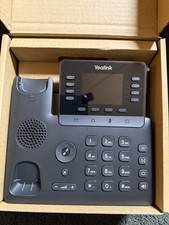
Yealink T48S VoIP/SIP Phone, 2 x Gigabit Ports PoE 7" Color SIP-T48S | TESTED
$34.95
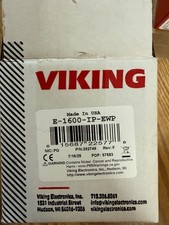
Viking Electronics VoIP Handsfree Emergency Phone E-1600-IP-EWP UPC 615687225778
$375.00
Yealink SIP-T73W IP Phone VoIP Desk Phone 12-Line Speakerphone Black
$70.00

Poly CCX 400 Desktop Business Media Phone VoIP 2200-49700-019
$49.99

Grandstream WP810 Portable Cordless Wi-Fi IP Phone
$49.28

Cisco / Linksys SPA2102 VoIP 2FXS Phone Adapter with Router (unlocked)
$18.99

Cisco/Linksys SPA2102 VoIP Phone Adapter Router 2FXS (Unlocked)
$17.99
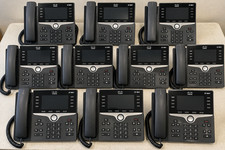
LOT OF 10 - Cisco CP-8841-3PW-NA-K9 IP Phone 8841 MPP Multiplatform VoIP
$449.99
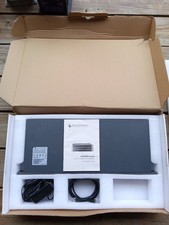
Grandstream GXW4501 Digital VoIP Gateway Works TESTED W Box It Came In.
$296.96

LINKSYS SPA3102 VOICE GATEWAY VOIP ADAPTER WITH BUILT-IN ROUTER W ADAPTER CABLE
$32.20



 Reply With Quote