

 Reply With Quote
Dunno what's up, but last time I put on nvidia I used the stuff oin the nvidia site: it worked a treat.


Ok, Knoppix v3.4, kernel 2.6.6, NVidia GeForce 4 MX 440 rev a3...
In an attempt to get my video working, I have brought down my system, and am now stuck in a text login screen - with reported errors from nvidia driver modules not being able initialize...
My attempt was to get Kano's script for nvidia - having more choices than knowledge - downloaded the install-nvidia-debian.sh, install-nvidia-5336-debian.sh, and the install-nvidia-6106-debian.sh...
Not sure which one I was "supposed" to run, I ran just the "install-nvidia-debian" -=- it ran fine, no errors, problems, and then rebooted...
I got to a login ( text mode ), logged in as root, and tried startkde ( no good, it died ), tried startx ( it died too, got the nvidia errors ) -=- and now I am stuck in text mode - no internet - no video - no GUI...
Help, I am desperate here - just got EVERYTHING installed, except a working ALSA - and just needed my nvidia working - and now I am dead...
Waiting on-line for assistance,
Ms. Cuddles
Dunno what's up, but last time I put on nvidia I used the stuff oin the nvidia site: it worked a treat.
Well, I wish I could help you Cuddles. But I don't use 2.6, so I don't know what the difference is there. Also with 2.4, I always use one of the specific driver scripts...i.e. one of the ones with the driver number...I've never tried the "install-nvidia-debian" one. Ask Kano over on his forum about this...seems like he might could be of assistance.
I tried that too, after being defeated with the "generic" install, I tried the "6106" one, but that one screamed about "kernel sources" - I haven't a clue what I am doing here -=- and it appears I don't have those, or what those are, or where they are, or which ones those are, etc...Originally Posted by champagnemojo
I don't know what to do here...
Last things I can see on my boot text screen, have something to do with via_agp already being installed... and then the nvidia errors because it is already in use by this via_agp -=- my guess is -=- my motherboard video card is "getting in the way?" - I have never been able to disable this card within the BIOS, but Knoppix v3.3 lived with it "and" NVidia at the same time...
Any help ???
Ms. Cuddles
I registered, and posted over at Kano's site - not much help...
Response on using his "install-kernel-source-vanilla" and then "install-nvidia-6106-debian" scripts and getting this same result was:
Install Kanotix...
Install Source-vanilla script...
Install Nvidia-6106-debian script...
No Knoppix support here...
[ end of quote ]
Here is a follow-up on problem ( after doing the above )
Maybe someone HERE has a clue what to do next...
Knoppix v3.4 ( kernel 2.6.6 ) hard drive installed
Nvidia NV17 GeForce 4 MX 440 ( rev a3 ) -=- on AGP card slot.
Via KT133 -=- on-motherboard AGP -=- I have no way of disabling this through the BIOS.
View Sonic View Panel VA700 monitor - using VSC700 driver ( i think )
Above worked perfectly with Kano's 5336 script, nothing has changed on system, other than the new install of Knoppix...
I have a "noagp" in the "append=" line of LILO - worked in previous install, doesn't appear to be doing anything in v3.4 now...
I have a "rmmod agppart" - i think its the right module name - it was used in v3.3 also - at the bottom of my /etc/init.d/bootmisc.sh file - but I don't think its doing anything either...
When I did the Kano's source and 6106 scripts... source script was fine, the 6106 script did report the following error:
make[1]:
...
***** unable to determine the target kernel version *****
and I think it died ??? errored out ?????
My textual boot screen, shows the following, maybe this can be of help to someone, in helping to resolve... ( this is what my boot is currently doing now )
...
ERROR: module agppart is in use by via_agp
...
starting hotplug subsystem:
...
...via_agp: already loaded
...
[ text login ]
I can't get into KDE, it tries during boot, to go into graphics login screen, but then fails back to this textual login...
I am seriously having fun here, and this being the LAST thing I needed to get installed and working since my Friday starting all of this "install from gutted system" v3.4 project...
Any help, any one, please...
Ms. Cuddles
Due to the problems I am having with 2.6.6 and NVidia - system booting under a hard drive install...
This topic has been "migrated" into the HDD Install Forum.
Thank you,
Ms. Cuddles
 Posting Permissions


Seagate ST6000NM0115 6TB 256MB 7200RPM 3.5" SATA 6.0Gb/s Enterprise Hard Drive
$159.99

Seagate 14TB Exos X14 7200RPM SATA 6Gb/s 256MB 3.5" Enterprise HDD ST14000NM0408
$354.99

Seagate Exos X16 ST10000NM010G 10TB 7200RPM SAS 12Gb/s 3.5" 512e/4Kn HDD
$199.00

Seagate Exos X14 10TB 7200RPM 3.5" SAS 12Gb/s Hard Drive HDD ST10000NM0528
$165.00

HGST HUS724040ALA640 4TB 7200 RPM SATA 3.5" Internal Desktop Drive 100% Health
$78.00

HITACHI ULTRASTAR 2TB 7.2K 6G 3.5INCH SATA HDD HUS724020ALA640 | TESTED WIPED
$34.95
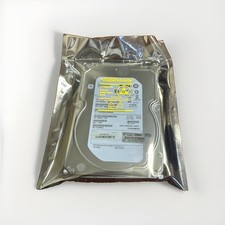
HP Enterprise MB4000FCWDK 4TB SAS 7.2K RPM 3.5" HDD Hard Drive ST4000NM0023
$44.99

Seagate Enterprise Capacity 2TB 2.5in SATA Internal HDD ST2000NX0403
$60.00
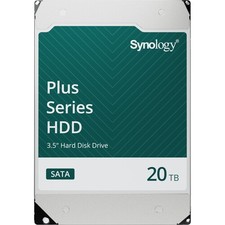
Synology 20TB HAT3320 Plus Series SATA III 3.5" Internal NAS HDD ( HAT3320-20T)
$750.00
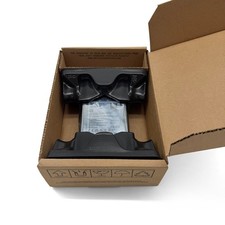
SEAGATE ST4000LM024 4TB 2.5" SATA 5400RPM 128MB HDD LAPTOP HARD DRIVE
$169.00