-
Senior Member
registered user
Re: WIRELESS PROBLEMS!!

Originally Posted by
WANDr
You also stated "If you want to save these settings they go in /etc/pcmcia/wireless.opts". Does wlcardconfig save it there automatically? After running wlcardconfig, should I still need to make any changes to any of the files in /etc/pcmcia?
Actually wlcardconfig will save your wirless settings in /etc/pcmcia/wireless.opts so you may just want to adjust your settings that way. BTW, wlcardconfig will ask for a lot of stuff. All you'll probably need to enter is your essid and your encryption key.
Originally Posted by
WANDr
I don't want to jump on the whole I AM A NEWBIE bandwagon for sympathy. I am two months into Linux, and during that time I have installed and used Red Hat and Mandrake. Both were a pain in the arse to install on my Compaq Presario 900, and neither worked 100%.
Knoppix/Debian is the first distro that installed painlessly, and detected all my devices. And just think when I started two months ago I was told by the Linux community to stay away from Debian because it has a steep learning curve. Maybe so, but after I get my wireless and sound working I will have a fully functioning machine. Something I never had with the other distros!!!
Steve
I too was told to stay away from Debian. I think the difficulty generally associated with Debian lies in the install. Once debian is installed it's a really easy to keep updated with apt. Since Knoppix makes the install pretty easy, much of the pain attributed to Debian is removed.
Let us know how the wireless issue goes.
Take care,
Adam
Similar Threads
-
By tsugua in forum Networking
Replies: 1
Last Post: 01-11-2005, 04:18 AM
-
By lozzy in forum Hdd Install / Debian / Apt
Replies: 0
Last Post: 12-14-2004, 03:58 PM
-
By supercleanse in forum Hardware & Booting
Replies: 0
Last Post: 12-06-2004, 12:43 AM
-
By jonath8n in forum Networking
Replies: 2
Last Post: 11-15-2004, 12:52 PM
-
By haYnguy in forum Hardware & Booting
Replies: 3
Last Post: 08-08-2004, 04:19 AM
 Posting Permissions
- You may not post new threads
- You may not post replies
- You may not post attachments
- You may not edit your posts
-
Forum Rules

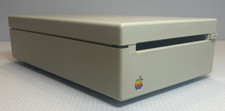
VINTAGE Apple 3.5 Drive External 3½" Floppy Drive DB-19 Beige | P/N A9M0106
$159.00

VINTAGE Apple Mac OS X Computer Monitor
$250.00

Vintage 1998 iMac G3 M4984 Mac OS + Keyboard Working but Needs Some Repair Read
$295.00
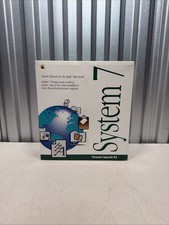
Vintage Mac System 7 Personal Upgrade Kit Apple Software 3.5” Floppy 1991 NEW
$142.45
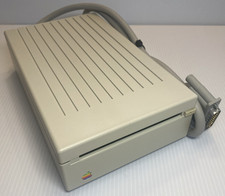
VINTAGE Apple 3.5 Drive External 3½" Floppy Drive DB-19 Beige | P/N A9M0106
$159.00

185--Sonnet Crescendo G3 PPCG3-375-5-K-06 G3 Add-On Card for Vintage Mac
$90.00
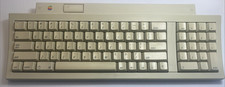
Apple Keyboard M0487 Macintosh IIgs ADB Keyboard Vintage Tested w/ Coiled Cable
$129.00
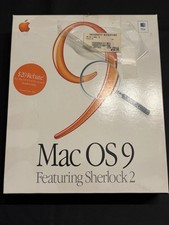
Vintage Apple Mac OS 9 Retail Box 1999 Sherlock 2 Original CD Manuals
$50.00

Vintage Apple PowerBook 15” G4 “Aluminum” (1.25GHz/2gb/150gb/Tiger) 2
$109.99

Apple Power Macintosh PowerPC 7300/200 VTG w Keyboard Mouse Storage Drive Read
$199.99



 Reply With Quote