-
Junior Member
registered user
Do I have to do anything special to get it going once I've run the information through wlcardconfig?
I have a Cisco Aironet 350 card. I run wlcardconfig and enter the essid "MyAir" and the key "2dcfe44aec" (64bit). Then exit out. It saves (at least temporarily) the changes to /etc/pcmcia/wireless.opts but iwconfig doesn't show the card running. I then tried '/etc/pcmcia/network start wifi0' but it gives me an error and shows me the 'usage' info over and over:
root@ttyp0[pcmcia]# /etc/pcmcia/network start wifi0
usage: /etc/pcmcia/network [action] [device name]
actions: start check stop suspend resume
Rebooting of course replaces the wireless.opts with the default one off the CD (I'm still booting from CD), so that doesn't work either.
As all of the above failed, I tried:
iwconfig wifi0 essid MyAIR key 2dcfe44aec
This returns no errors, but iwconfig does not show the ESSID listed, nor does the card start (no lights on it are lit up). The card lights are on during boot and shutdown when modprobe checks the aircard.
I've tried the key with and without 0x as the data are hex.
Any ideas, pointers? This is a Compaq 2525US and has a built-in wireless controller, but I prefer the Cisco. Figured that would be easier to get up and running too...
J
Similar Threads
-
By tsugua in forum Networking
Replies: 1
Last Post: 01-11-2005, 04:18 AM
-
By lozzy in forum Hdd Install / Debian / Apt
Replies: 0
Last Post: 12-14-2004, 03:58 PM
-
By supercleanse in forum Hardware & Booting
Replies: 0
Last Post: 12-06-2004, 12:43 AM
-
By jonath8n in forum Networking
Replies: 2
Last Post: 11-15-2004, 12:52 PM
-
By haYnguy in forum Hardware & Booting
Replies: 3
Last Post: 08-08-2004, 04:19 AM
 Posting Permissions
- You may not post new threads
- You may not post replies
- You may not post attachments
- You may not edit your posts
-
Forum Rules


Atari Home Computer Software/Books/Manuals/Magazines Lot - Read desc for details
$95.00

GreaseWeazle v4 board USB floppy drive adapter Retro All Formats
$35.00

Atari 400 / 800 Computer Memory Module 16K RAM PCB CX853 - Works Perfectly
$18.95

DEFECTIVE Atari 810 Vintage Computer Disk Drive powers on Unit Only Boo G3D
$49.29

Fujinet 1.7.1 Atari 400 800 800XL 130XE 65XE XEGS Assembled, Tested, Working
$99.99

A8PicoCart Multicart for Atari 800xl /65xe / 130xe / XEGS
$16.95
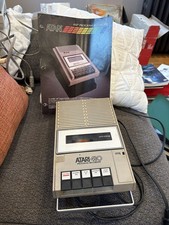
Atari 410 Program Recorder repair w manual sheet/ adapter cord
$23.99

ATARI Mouse with Adapter for ST, STE, Mega STE, TT Optical - USA Seller
$29.99

Atari 130 XE/Atari 1050 Bundle W/ Cords And Extras (Powered On)
$300.00
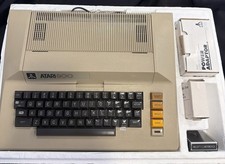
Atari 800 Home Computer 48K RAM In Original Box w/ Styro RF Switch Extra Games
$349.30



 Reply With Quote