

 Reply With Quote
Right click on the icon for the drive on the desktop and change the permissions to read/write.


Hi all,
When I boot Knoppix 3.4, if the CF Card is in the PCMCIA adapter it is mounted but is read only. The questions are:
1- How do I boot first the Knoppix 3.4, and then mount the CF Card when needed?
2- How do I make the CF card in PCMCIA slot read/write?
3- Does Knoppix 3.4 mount the CF Card in Delkin eFilm Pocket reader so that I can also work with the files on it?
I am also not very fluent with Linux, so the questions may be a little basic, anyhow thanks for answers.
Veli Izzet
Right click on the icon for the drive on the desktop and change the permissions to read/write.
 Posting Permissions


NEW Cisco Meraki MS130-48P-HW 48-Port Gigabit PoE+ Cloud Manage Switch UNCLAIMED
$2999.99

Cisco WS-C3650-12X48UR-L 48-Port Stackable Layer 3 8x10G SFP+ Port Switch
$129.99

Cisco Acacia DP04QSDD-E25-840 400G QSFP-DD Coherent DCO Transceiver Module
$699.99

Cisco Catalyst C9130AXI-B WiFi 6 802.11ax Wireless Access Point Brand New
$101.99

Cisco Nexus N9K-C92160YC-X 48P 25GbE SFP28 6P QSFP+/QSFP28 PE Switch
$439.00

Cisco | N3K-C3232C | 32-Port 100G QSFP Network Switch W/ 2x PSU, 2x Power Cords
$240.00
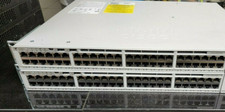
Cisco C9200-48P-E Cisco POE Network Switch
$749.99

Cisco C9300-48UXM-A Switch 9300 Series 48-port UPoE Network
$874.99

Cisco XFP-10G-MM-SR 10G XFP Transceiver
$79.89

NEW Sealed Cisco SFP-10G-LR 10GBASE-LR SFP+ 1310nm 10km *US Shipping*
$24.00