

 Reply With Quote
Right click on the icon for the drive on the desktop and change the permissions to read/write.


Hi all,
When I boot Knoppix 3.4, if the CF Card is in the PCMCIA adapter it is mounted but is read only. The questions are:
1- How do I boot first the Knoppix 3.4, and then mount the CF Card when needed?
2- How do I make the CF card in PCMCIA slot read/write?
3- Does Knoppix 3.4 mount the CF Card in Delkin eFilm Pocket reader so that I can also work with the files on it?
I am also not very fluent with Linux, so the questions may be a little basic, anyhow thanks for answers.
Veli Izzet
Right click on the icon for the drive on the desktop and change the permissions to read/write.
 Posting Permissions


Apple Macintosh Classic M1420 Vintage Desktop Computer Model Macintosh Classic
$100.00

Vintage Apple Monitor IIc 9" Green Monochrome 06/1985 A2M4090 October 1984 Stand
$275.00

Vintage Apple Macintosh Plus Desktop Computer - M0001A
$150.00

Vintage Apple II Avant-Garde Creations Super Shape Draw And Animate 1981
$295.00

Vintage Apple Macintosh LC M0350 Desktop No Harddrive No Power Supply - Parts
$71.95
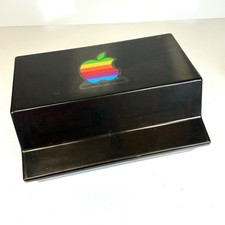
Lot of 64 Apple II IIe IIc 5.25” Floppy Disk Games Software Utilities Vintage
$39.00

Retro Vintage Apple M0110A Compact Wired Mechanical keyboard for Macintosh Plus
$64.95

Vintage Apple Macintosh Plus 1MB - M0001A W/ Keyboard, 2 Mice, 800K HD, + More
$300.00
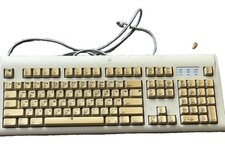
Vintage Apple Design Keyboard Model M2980 Macintosh 1994 Untested
$28.49

Vintage Apple Multiple Scan 15av Display Monitor M4681
$299.99