

 Reply With Quote
Right click on the icon for the drive on the desktop and change the permissions to read/write.


Hi all,
When I boot Knoppix 3.4, if the CF Card is in the PCMCIA adapter it is mounted but is read only. The questions are:
1- How do I boot first the Knoppix 3.4, and then mount the CF Card when needed?
2- How do I make the CF card in PCMCIA slot read/write?
3- Does Knoppix 3.4 mount the CF Card in Delkin eFilm Pocket reader so that I can also work with the files on it?
I am also not very fluent with Linux, so the questions may be a little basic, anyhow thanks for answers.
Veli Izzet
Right click on the icon for the drive on the desktop and change the permissions to read/write.
 Posting Permissions


Intel Core i5-12500T SRL5W 2GHz 18MB 6 Core Socket LGA1700 Desktop CPU Processor
$114.99
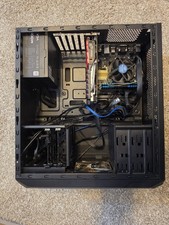
Used PC Corsair Vengeance Intel i7-4770 3.40GHz 16GB DDR3 Gtx 1050 Ti Msi
$135.00

Intel Core i7-4770 3.40GHz Quad Core SR149 LGA 1150 CPU Processor tested
$35.00

INTEL CORE I9-10940X X-SERIES PROCESSOR | 3.30GHZ | SRGSH
$179.99

Intel Core i7-9700 Octa-Core 3 GHz Desktop Processor LGA 1151
$79.99

Intel Core i7-3770K 3.5 GHz Processor
$39.00

Intel Core i7-7700K SR33A 4.20GHz 4-Core LGA1151 CPU Processor
$62.95

Matched Pair _ Intel Xeon E5-2698 V4 2.2GHz 20-Core Processor CPU LGA2011 SR2JW
$94.99
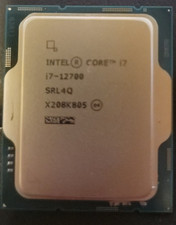
Intel Core i7-12700 12 Core X208K805 LGA 1700 AS IS
$99.99
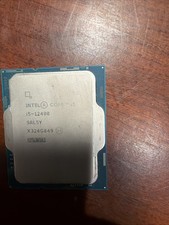
Intel Core i5-12400 CPU 2.50GHz 6-Core 12-thread SRL5Y LGA 1700
$121.99