

 Reply With Quote
I don't know if it'll help, but in the cheat codes when Knoppix is booting you can type knoppix screen=1024x768 or what ever your screen size may be.
As I say, I don't know if that'll help you because I'm new to all this


I installed windows 2000 and Knoppix on 2 different partitions and setup LILO to boot both of them. Worked fine. Then, on my knoppix boot I set my screen reselution (likly spelled wrong) too big. Now, every time I boot it up, it works great until it loads KDE but then my monitor goes black and says "Over Range." How do I change my reselution without being in KDE?
I don't know if it'll help, but in the cheat codes when Knoppix is booting you can type knoppix screen=1024x768 or what ever your screen size may be.
As I say, I don't know if that'll help you because I'm new to all this
Have a look in /etc/X11 if you have a backup of XF86Config-4. The backup could be named XF86Config-4~. Then do:
mv XF86Config-4 XF86Config-4OLD
mv XF86Config-4~ XF86Config-4
Or you can boot the CD with the desired resolution and copy over the file to your hd-install.
 Posting Permissions


Samsung 2.5" 870 EVO SSD SATA III 250GB 500GB 1TB Internet Solid State Drive Lot
$100.00

Netac 2TB 1TB 512GB 256GB Internal SSD 2.5inch SATAIII Solid State Drive lot
$129.99

Netac 256GB SSD 2.5'' SATA III 6Gb/s Internal Solid State Drive 500MB/s PC/Latop
$40.00

Samsung 860 EVO 250GB SSD MZ-76E250 2.5" SATA III Solid State Drive -
$36.99

Crucial MX500 250GB 2.5" SATA III SSD - Preowned
$29.00

Fanxiang 256GB 512GB 1TB 2TB 4TB SSD Lot 2.5'' SATA Internal Solid State Drive
$59.99

2 PACK 128 GB SSD M.2 2280 SATA Solid State Drive Major Brands, Samsung, LiteON
$28.00

Fanxiang 1/2/5/10Pcs 2.5'' SATA SSD Lot 1TB 2TB 4TB 512GB 256GB TLC Internal SSD
$129.99

Netac 120GB 256GB 1TB 2TB Internal SSD 2.5'' SATAIII 6Gb/s Solid State Drive lot
$119.99
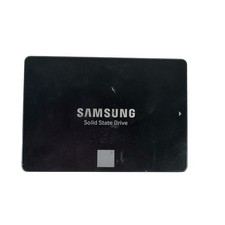
Samsung 250GB SSD 850 EVO 2.5" Internal Solid State Drive MZ7LN250 MZ-75E250
$25.99