

 Reply With Quote
I don't know if it'll help, but in the cheat codes when Knoppix is booting you can type knoppix screen=1024x768 or what ever your screen size may be.
As I say, I don't know if that'll help you because I'm new to all this


I installed windows 2000 and Knoppix on 2 different partitions and setup LILO to boot both of them. Worked fine. Then, on my knoppix boot I set my screen reselution (likly spelled wrong) too big. Now, every time I boot it up, it works great until it loads KDE but then my monitor goes black and says "Over Range." How do I change my reselution without being in KDE?
I don't know if it'll help, but in the cheat codes when Knoppix is booting you can type knoppix screen=1024x768 or what ever your screen size may be.
As I say, I don't know if that'll help you because I'm new to all this
Have a look in /etc/X11 if you have a backup of XF86Config-4. The backup could be named XF86Config-4~. Then do:
mv XF86Config-4 XF86Config-4OLD
mv XF86Config-4~ XF86Config-4
Or you can boot the CD with the desired resolution and copy over the file to your hd-install.
 Posting Permissions


(2) Seagate SAS Hard Drive Exos 7E8 3TB 7200RPM 128MB 12Gb/s 3.5 ST3000NM0035
$49.99

Dell EMC WD-HITACHI H5H72101CLAR10T0 10TB 7.2K SAS 12Gb/s SED 3.5in A POH 0-50k
$189.99

Seagate BarraCuda ST3000DM008 3TB Internal SATA 6Gb 3.5" Hard Drive 7200RPM 64MB
$91.99

Seagate 1YY207-004 SEAGATE EXOS 4TB SAS 6G 7.2K 25MM HDD
$45.00

Toshiba MG04ACA400 4TB 3.5-inch SATA 6 Gb/s 7,200 RPM Internal Hard Drive
$49.99
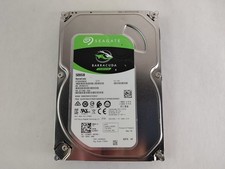
Seagate ST500DM009 BarraCuda 500 GB 3.5" SATA III Desktop Hard Drive
$14.99

Toshiba 14TB MG07 MG07ACA14TEY 7.2K RPM SATA 6Gb/s 512e 3.5" Enterprise HDD
$299.00

Seagate ST28000NM001C 28TB 256MB 7200RPM 3.5" SATA 6.0Gb/s Enterprise Hard Drive
$669.99

WD Ultrastar DC HC530 14TB SATA 6G 3.5" 7200RPM Enterprise HDD - WUH721414ALE604
$329.99

Seagate 6TB HDD ST6000NM0034 7.2K 3.5" SAS 12Gb/s (NOT FOR PC - FOR SERVER ONLY)
$87.00