-
Senior Member
registered user
Gilles,
It works great! Firstly I told vmWare Player to use an existing VM.
Then all I did was to tell vmWare Player where the Knoppix ISO file was... in Settings.
Viola!. Knoppix that has NTFS support built in.
When I looked into the menu.lst on sda1... so I could add the "home=scan"... I found a parameter I don't understand.
"data=ramdisk"
What I was hoping to do was to add a new disk to the VM... and put a knoppix.img persistent home on it...
I did manage to get that created... and it showed up as /dev/sdb
Something did crop up... the screensaver... it goes straight to it after X finishes loading.
Data persistence would help that out.
But I am using vmware player 3.1.5 build-491717... because ver 4 needs better hardware than my laptop I have at home. (I'm never there!)
Thank You
Similar Threads
-
By sandricionut in forum Hardware & Booting
Replies: 2
Last Post: 08-11-2005, 03:28 PM
-
By cli168 in forum Hdd Install / Debian / Apt
Replies: 3
Last Post: 06-20-2005, 03:57 AM
-
By Ish Rattan in forum Hdd Install / Debian / Apt
Replies: 1
Last Post: 06-25-2004, 10:31 PM
-
By madape in forum Hdd Install / Debian / Apt
Replies: 2
Last Post: 02-03-2004, 10:07 AM
-
By keava in forum General Support
Replies: 3
Last Post: 10-20-2003, 05:24 PM
 Posting Permissions
- You may not post new threads
- You may not post replies
- You may not post attachments
- You may not edit your posts
-
Forum Rules


VINTAGE DEC LA34/ LA100 SERIES KEYBOARD W/NUMERIC PAD 70-17864-01C
$140.00

Vintage DEC Digital Starion 200 Desktop PC Powers On Boots To BIOS NO HDD - DW
$269.99

Vintage Digital DEC 54-15688 rainbow color graphics option
$129.99

Vintage DEC/Mostek memory systems MK 8015 AA-00 6805-08015 1100 REV C(B7)
$279.99
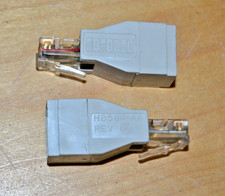
lot of 2 ~ Vintage Digital DEC ~ H8584-AA ~ 8-pin MP to 6-pin MJ **NOS**
$18.99

VINTAGE DEC VX20A-OP ACCELERATOR, 54-20309 FOR VXT2000 SYTEMS
$95.00

Vintage DEC LK201 Computer Keyboard Used
$59.97

Vintage DEC PDT11 (VT100 Series) Terminal (Powers On).
$550.99

Vintage DEC Digital VR319-DA 19" High Resolution Monochrome CRT Monitor - Tested
$180.00

VINTAGE DEC/MDB Systems MLSI-TEV Circuit Board #40040340 1976 (B5)
$69.99



 Reply With Quote