-

Originally Posted by
wslkevin
1. I have used the batch file "install2win.bat" from the Japanese KNOPPIX CD-Rom, and it installed GRUB to my computer using "grubinstall.exe".
How can I remove the grub now? Is it just simply remove the folder "C:\boot"? In which command, the installer will write something to my boot sector?
Removing the C:\boot will free up some disk space, but will not remove the grub boot hook. I suppose that the grubinstall.exe writes into the boot sectors. You should probalby have look at: http://www.knoppix.net/forum/viewtopic.php?t=3311 , and/or try
1) Boot w/ win98 boot floppy, at the a: propmt enter: fdisk /mbr
2)Boot w/ XP or WIN2k cd into recovery mode and run: fixmbr
Originally Posted by
wslkevin
2. Before installed the GRUB from Japanese KNOPPIX CD-Rom, I have installed (actually just as what you said - copied all files to C:\ and C:\boot). I can find stage1 and stage2 under the folder C:\boot? Did it also influe my boot sector?
No. You have to start grub and run the installer to do it, or an other installer program as grubinstall.exe. BTW, I do not use stage1 and stage2 since they are already part of both the grldr and grub.exe I have been talking about in my zip and setup.
Originally Posted by
wslkevin
3. Is it possible to use a image file located in a NTFS partition for "home" in the cheatcode? For example, "knoppix ..... home=/dev/hda1/KNOPPIX/home.img" (It assume /dev/hda1 is a NTFS partition in which the KNO*.ISO located)?
Let me asnwer my question first, then could you tell me whether I am right or wrong? Thanks.
3. It definetly can set the "home" to hda1 which is a NTFS partition before the Japanese kernel has the ntfs.o built-in. After boot to knoppix, it is must to mount the partition /dev/hda1 as captive-NTFS, then the user can read/write/modify the content of "home". However, it isn't a safe way to modify NTFS partition because captive use the MS NTFS driver which isn't stable for Linux.
I did not try it yet, and I would be very carefull with that. Try it on a test system, not a corporate computer. As I understand it, ntfs read only is the default after a knoppix boot and is totally safe. This linux driver cannot be easily used and is not safe to use for write access. For that reason people use the capture script and the linux read only driver to look for the MS drivers into the nt partition and then use these MS drivers to write into the ntfs partition.
So, I may be wrong, but I think that since you may want to have write access into your home directory, you would need at boot time to: first use the linux ntfs driver and the capture script to get the MS drivers and then remount the ntfs partition in rw mode and finally mount the /home/knoppix directory from the knoppix.img being into that ntfs partition. This can be done, but ... YAKA (just do it...)
Cheers, Gilles
Similar Threads
-
By sandricionut in forum Hardware & Booting
Replies: 2
Last Post: 08-11-2005, 03:28 PM
-
By cli168 in forum Hdd Install / Debian / Apt
Replies: 3
Last Post: 06-20-2005, 03:57 AM
-
By Ish Rattan in forum Hdd Install / Debian / Apt
Replies: 1
Last Post: 06-25-2004, 10:31 PM
-
By madape in forum Hdd Install / Debian / Apt
Replies: 2
Last Post: 02-03-2004, 10:07 AM
-
By keava in forum General Support
Replies: 3
Last Post: 10-20-2003, 05:24 PM
 Posting Permissions
- You may not post new threads
- You may not post replies
- You may not post attachments
- You may not edit your posts
-
Forum Rules


Yealink T48S VoIP/SIP Phone, 2 x Gigabit Ports PoE 7" Color SIP-T48S | TESTED
$34.95

Grandstream VoIP Phone Adapter ATA 1-Line Black Ethernet (RJ-45) Micro USB
$27.07

Grandstream WP810 Portable Cordless Wi-Fi IP Phone
$49.28

Poly CCX 400 Desktop Business Media Phone VoIP 2200-49700-019
$49.99

Yealink SIP-T33G IP Phone 4-LineSpeakerphone VoIP Desk Phone Black w/ Power Sply
$25.00
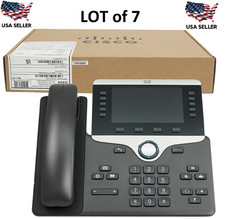
7x LOT: Cisco CP-8841-K9 5 Lines Widescreen LCD VoIP Business Phone - Black
$875.00
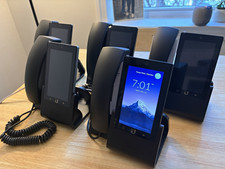
Ubiquiti UniFi Talk UVP-Touch VoIP IP Phone PoE Touchscreen Tested Reset
$64.99

WorldTalk Phone InterAct SV-2030 PC Internet VOIP IBM/PC Compatible, Sealed, NEW
$27.95

Yealink MP54 - VoIP Phone - Black Teams phone Android POE WIFI Bluetooth
$49.95

Cisco CP-8841 IP Phone Charcoal Handset And Stand Included
$27.99



 Reply With Quote