-
Problems with USB drives and writing to /mnt
I have COPIED (not installed) an earlier version of Knoppix to my hard drive and I run it with a 98 bootdisk which changes directories to the Knoppix folder and then runs .bat file: loadlin.exe vmlinuz root=/dev/hda5 initrd=miniboot.gz lang=en knoppix myconfig=/mnt/hdb5
Now this works very well and at the end of the session I can save my Knoppix config back to /hdb5. BUT I have had some difficulties in that I have two USB devices, a USB memory stick and an external USB hard drive. On boot up Knoppix "sees" them but when I navigate to them in /mnt they come up empty. If I make a shortcut on the desktop I can see and open the contents of the USB drives. However at the end of the session Knopppix will not save a configuration.
I can make alterations to the fstab, and they are retained (I thought that this would help at boot up) but even though I write the corresponding directories to /mnt they are deleted on boot up AND Knoppix will not allow me to save my configuration.
Are these problems occurring because I have copied rather than installed Knoppix to my drive?
-
Senior Member
registered user
Re: Problems with USB drives and writing to /mnt

Originally Posted by
Ewen
Are these problems occurring because I have copied rather than installed Knoppix to my drive?
Yes. If you boot from an image of Knoppix on your hard drive any changes you have made will revert back to what is on the cd when you reboot. Nothing will be saved. This is why you are needing to mount your drives each time by clicking the icons on your desktop. If you use the "df" command before clicking on the icons, you will see that your usb drives are not mounted (even though they will be listed in /etc/fstab). I you want things to stick you'll have to do an install on your hard drive.
-
Thank you aay... I thought that may be my problem... I guess I'll have to install instead but i'll buy the update first. I must say I like Knoppix.
Regards... 
Similar Threads
-
By algebraic in forum MS Windows & New to Linux
Replies: 5
Last Post: 09-11-2005, 11:50 AM
-
By Pollux in forum Hardware & Booting
Replies: 3
Last Post: 11-25-2004, 10:28 AM
-
By powadha in forum General Support
Replies: 2
Last Post: 11-04-2004, 09:42 AM
-
By ze-trinchas in forum Hardware & Booting
Replies: 3
Last Post: 04-13-2004, 04:18 AM
-
By ze-trinchas in forum Hdd Install / Debian / Apt
Replies: 1
Last Post: 03-25-2004, 09:00 PM
 Posting Permissions
- You may not post new threads
- You may not post replies
- You may not post attachments
- You may not edit your posts
-
Forum Rules

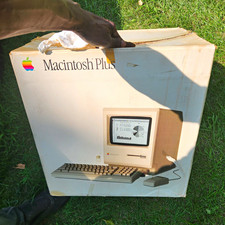
Vintage Apple Macintosh Plus M0001A Computer CIB Complete In Box WORKING
$325.00

Apple Mac OS9 Cloth Banner Think Different 64 x 24 inches NEW ORIGINAL Vintage
$99.99
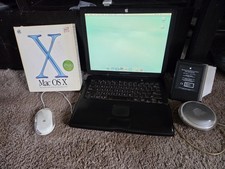
VINTAGE Apple PowerBook G3 Lombard M5343 400MHz 192MB Working Mac OS X Bundle
$299.00
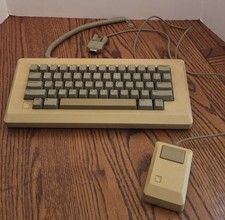
Vintage Apple Macintosh M0110 Keyboard with Coiled Cable & M0100 Mouse Bundle
$180.00

Vintage Apple Macintosh IIsi Computer, Monitor, Keyboard & Mouse Complete Setup
$199.99
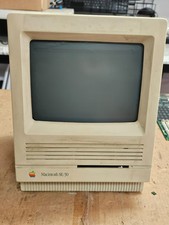
Vintage Apple Macintosh SE/30- Samsung CRT - Shell/Case Assembly Tech Special
$149.95
Apple Macintosh Portable Vintage Computer w/ Case, Power Adapter, Cable
$242.50

VTG Apple Macintosh 1980s Computer Travel Bag Tote Carry Case Adjustable Strap
$109.95
Vintage Apple Macintosh Classic II M4150 1991 Computer AS-IS Parts Repair
$149.00
Vintage Apple Power Macintosh 6100/60AV M1596 350MB HDD Boots Mac OS AS-IS
$189.00



 Reply With Quote