-
Junior Member
registered user
lsmod listing
I will definately post complete lsmod listing. I don't have that drive with me today, it's at my work.
-
LSMOD:
-----------------------------------------------------
Module Size Used by Not tainted
autofs4 8660 1 (autoclean)
af_packet 13416 0 (autoclean)
nls_cp437 4380 1 (autoclean)
es1371 31944 0
gameport 1324 0 [es1371]
ac97_codec 9800 0 [es1371]
soundcore 3396 4 [es1371]
8139too 14664 0
mii 1008 0 [8139too]
agpgart 31136 0 (unused)
serial 51908 0 (autoclean)
usb-storage 48440 0
usb-uhci 21644 0 (unused)
usbcore 56736 1 [usb-storage usb-uhci]
apm 9644 0 (unused)
rtc 6940 0 (autoclean)
cloop 23396 1
----------------------eof-----------------------------------
I found some command which gave me the following result. (shame on me i don't remember which command it was  )
)
------------------------------------------------
Bus 001 Device 001: ID 0000:0000 Virtual Hub
Device Descriptor:
bLength 18
bDescriptorType 1
bcdUSB 1.00
bDeviceClass 9 Hub
bDeviceSubClass 0
bDeviceProtocol 0
bMaxPacketSize0 8
idVendor 0x0000 Virtual
idProduct 0x0000 Hub
bcdDevice 0.00
iManufacturer 0
iProduct 2 USB UHCI Root Hub
iSerial 1 e000
bNumConfigurations 1
Configuration Descriptor:
bLength 9
bDescriptorType 2
wTotalLength 25
bNumInterfaces 1
bConfigurationValue 1
iConfiguration 0
bmAttributes 0x40
Self Powered
MaxPower 0mA
Interface Descriptor:
bLength 9
bDescriptorType 4
bInterfaceNumber 0
bAlternateSetting 0
bNumEndpoints 1
bInterfaceClass 9 Hub
bInterfaceSubClass 0
bInterfaceProtocol 0
iInterface 0
Endpoint Descriptor:
bLength 7
bDescriptorType 5
bEndpointAddress 0x81 EP 1 IN
bmAttributes 3
Transfer Type Interrupt
Synch Type none
wMaxPacketSize 8
bInterval 255
Language IDs: (length=4)
0000 (null)((null))
Bus 001 Device 002: ID 067b:2315 Prolific Technology, Inc.
Device Descriptor:
bLength 18
bDescriptorType 1
bcdUSB 1.10
bDeviceClass 9 Hub
bDeviceSubClass 0
bDeviceProtocol 0
bMaxPacketSize0 64
idVendor 0x067b Prolific Technology, Inc.
idProduct 0x2315
bcdDevice 0.01
iManufacturer 1 Taiwan Tai-Hao
iProduct 3 USB Flash Disk Embedded Hub
iSerial 0
bNumConfigurations 1
Configuration Descriptor:
bLength 9
bDescriptorType 2
wTotalLength 34
bNumInterfaces 1
bConfigurationValue 1
iConfiguration 0
bmAttributes 0xc0
Self Powered
MaxPower 100mA
Interface Descriptor:
bLength 9
bDescriptorType 4
bInterfaceNumber 0
bAlternateSetting 0
bNumEndpoints 1
bInterfaceClass 9 Hub
bInterfaceSubClass 0
bInterfaceProtocol 0
iInterface 0
Endpoint Descriptor:
bLength 7
bDescriptorType 5
bEndpointAddress 0x81 EP 1 IN
bmAttributes 3
Transfer Type Interrupt
Synch Type none
wMaxPacketSize 64
bInterval 15
Hub Descriptor:
bLength 9
bDesriptorType 41
nNbrPorts 2
wHubCharacteristic 0x0d 0x00
bPwrOn2PwrGood 50 * 2 milli seconds
bHubContrCurrent 100 milli Ampere
DeviceRemovable 0x06
PortPwrCtrlMask 0x06
Language IDs: (length=4)
0409 English(US)
[more text snipped; Bus 001 devices 003 and 004 shows just the same as device 002]
-+---------------------------------------------------
anyway i cannot mount this flash pen drive, using sd[a-z][1-9]. Maybe i should try to format it under linux (it came preformatted) but i don't really know how, or if it would be a good idea.
Another option is just wait until i can dl latest knoppix version and try it then (cross fingers)
-
Senior Member
registered user
Bus 001 Device 001: ID 0000:0000 Virtual Hub
Device Descriptor:
bLength 18
bDescriptorType 1
bcdUSB
1.00
This make me wonder about compatibility with USB 1.0
Maybe it makes no diference.
-
Ok, I guess it's time to give up. Thanks, rickenbacherus, por your instructive help. At least I've learned some things which may be useful some day. Or maybe this drive will work with knoopix 3.2 or maybe I buy a new USB 2 card...
Bye (for now) and thanks again.
-
Senior Member
registered user
Sorry we couldn't get it working. I'm still looking for something (anything at all) on USB 1.0 so who knows.
-
Junior Member
registered user
Pen USB Drive
I have used a bunch of USB and PCMCIA drives. I scanned the posts for this one. I might have missed it, but be sure to create the mount point on your file system where the drive is to go. I always want to fstab to a place that does exist. Editing fstab will work or not work depending if the mount point exists.
-
#mount -t usbfs /dev/sda1 /mount/pen
just wanted to clarify something...
if you try to mount ANYTHING with the usbfs filesystem, what you will get is a clone of /proc/bus/usb. in other words, it's like trying to mount proc on another dir. that's why you get some strange files like "devices" and "drivers".
-
Junior Member
registered user
USB device fs
The USB devices that I have connected in my system all came configured as DOS fs and I have always mounted them (sucessfully and easily) as DOS fs devices. The USB device was only 16 Meg. (It was for a project that only required a couple of Meg.) I was using RH 8 at the time. This is using 2.4.18-14 as the kernel. We tried a bunch of PCMCIA and USB devices. They all hand DOS or vfat fs on them for interchangability. RH uses some non-standard kernel patches. Looking at Knoppix, I would not expect it to act very different. Of course, it is dependent on the fs on the device, and it is my limited experience. Compared to getting other devices working with Linux, I have spent more time on these emails that I have getting my USB going. Just lucky so far, I guess.
-
Senior Member
registered user
Got something for you to try out Brite. I wish I had a USB 1.0 something so I could try it myself. Anyway....... try adding this to
your /etc/modules.conf after the line that reads
#Name inconsistency in 2.4 kernel series
alias usb-interface usb-uhci
and of course.......let us know.
Similar Threads
-
By hookan in forum General Support
Replies: 3
Last Post: 01-21-2005, 02:17 PM
-
By tigerb in forum General Support
Replies: 12
Last Post: 12-21-2004, 02:10 AM
-
By piper in forum Customising & Remastering
Replies: 2
Last Post: 11-16-2004, 04:23 PM
-
By Massimo in forum General Support
Replies: 10
Last Post: 08-19-2004, 03:06 PM
-
Replies: 0
Last Post: 02-08-2004, 02:22 PM
 Posting Permissions
- You may not post new threads
- You may not post replies
- You may not post attachments
- You may not edit your posts
-
Forum Rules


Netac DDR4 32GB 16GB DDR4 3200MHz UDIMM C16 Desktop Internal Memory RAM Kit
$99.99

Major Brand 16GB (2x8GB) PC3-12800U DDR3-1600MHz DDR3-12800 DESKTOP RAM NON-ECC
$29.99

A-Tech 8GB DDR3 1600 PC3-12800 Laptop SODIMM 204-Pin Memory RAM PC3L DDR3L 1x 8G
$21.68
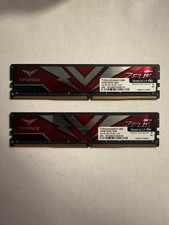
TEAMGROUP T-Force Zeus 64GB (2x32GB) DDR4 2666MHz PC4-21300 Desktop RAM Kit
$199.99
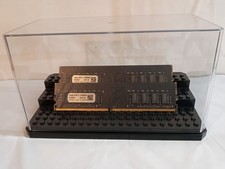
32GB KIT (2x16GB) DDR4 2666MHz PC4-21300 - 288 pin DESKTOP Non ECC - Black/Gold
$121.00
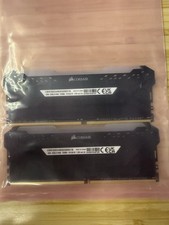
Corsair Vengeance RGB Pro 32GB (2x16GB) DDR4 3200 DIMM CMW32GX4M2E3200C16 #CD2
$160.00
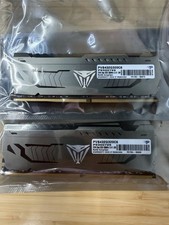
Patriot Viper Steel 64GB 2x32GB DDR4 3200 PVS464G320C6
$449.00

Samsung 16GB LPCAMM2 PC5 7500 DDR5 LPDDR5X CAMM2 M561K1LC4DM0-CCTGM RAM Memory
$189.00

RAMAXEL Lenovo 32GB LPDDR5X CAMM2 7500MHz Laptop RAM | UNTESTED
$445.00
Used Computer RAM - This Is For Multiple Sticks Of RAM
$120.00



 Reply With Quote