-
USB With Failsafe Boot
Hi
Being new to knoppix, im using it for the first time, and i can only say good things about it.
My problem is i want to boot with the failsafe open and to detect my usb pendisk. Is it possible? if so what is the command?
Thank you 
-
Senior Member
registered user
Try to figure out what it is that's forcing you to boot w/ failsafe. Try to use a more specific cheatcode like acpi=off or noscsi or ??
How far does the disc boot without using failsafe? What hardware do you have? Details man it's all in the details. 
-
When i try to use only the knoppix boot it decompress only two files (cant remenber the name of the last one but i´ll check) and the screen goes black, then i tried to boot again with failsafe and it all goes well.
Im using it on a laptop with a WinXP Pro instalation on the c:\ root, its a Duron 1000, with 384ram and a 20gig hdd, i have 3gigs left on the c:\ partition so i assumed (maybe wrong) knoppix would decompress using this space, i know linux needs a swap (i read linux normally only needs a 500mb) file to work, i can put one up along with 1gig of free space on a new partition if needed, but how can i select this partition on the boot to select it? Excuse the mixed questions/answering stuff.
Thanks
-
Senior Member
registered user

Originally Posted by
End_User
When i try to use only the knoppix boot it decompress only two files (cant remenber the name of the last one but i´ll check) and the screen goes black, then i tried to boot again with failsafe and it all goes well.
Yes please do check. Try booting like so:
knoppix screen=1600x1200 xvrefresh=60 vga=normal
You could even try w/out using vga=normal.
i know linux needs a swap (i read linux normally only needs a 500mb) file to work, i can put one up along with 1gig of free space on a new partition if needed, but how can i select this partition on the boot to select it? Excuse the mixed questions/answering stuff.
Thanks
It is not mandatory that you have a swap file or partition. You could easily create a swap partition however. Create your partition then make it a swap partition like so:
mkswap /dev/hda3
swapon /dev/hda3
Similar Threads
-
By Drax946 in forum Hardware & Booting
Replies: 16
Last Post: 05-29-2005, 08:40 PM
-
By crapszwei in forum Hdd Install / Debian / Apt
Replies: 3
Last Post: 02-11-2005, 04:16 AM
-
By acemilo in forum Laptops
Replies: 3
Last Post: 12-13-2004, 12:26 PM
-
By nerbas in forum General Support
Replies: 11
Last Post: 11-21-2004, 12:35 PM
-
By twmspro in forum General Support
Replies: 2
Last Post: 02-01-2004, 01:33 AM
 Posting Permissions
- You may not post new threads
- You may not post replies
- You may not post attachments
- You may not edit your posts
-
Forum Rules


Vintage Jade Computer Products CP/M v2.2 8" Floppy Disk SD Versafloppy II S-100
$59.99

Vintage Jetway J-620BF Socket 370 Celeron AT Motherboard SiS 620 Brand New
$75.00

Vintage HP Hewlett Packard 2112A 21MX 1000 M-Series 16-Bit Minicomputer
$599.99

Vintage ECS Micro-ATX Desktop Case | Beige/Dark Grey | *READ*
$80.00

Vintage MicroPro SuperSort v1.6 8" Floppy Disk CP/M Demo Not For Resale 1980
$49.99
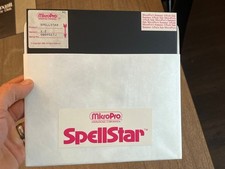
Vintage MicroPro SpellStar Version 1.2 8" Floppy Disk CP/M Software Summer Sale
$64.99

Vintage Digital Research ZSID 1.4 8" Floppy Disk CP/M Z80 Software S-100 Altair
$69.99
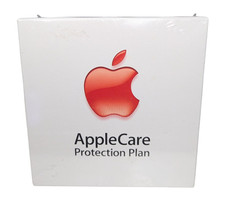
Vintage AppleCare Protection Plan Box for Mac Model 607-3517 COLLECTIBLE ONLY
$20.00

Vintage Promise EIDEMAX Enhanced IDE Disk Controller ISA Non-RAID Card Boxed
$34.99

Vintage 1986 Goldenrod Research Corp CP/M Desktop Computer Syste w/Keyboard
$350.00



 Reply With Quote