

 Reply With Quote
Ok, I was wrong. Everything does get up and running correctly, but it takes something like 5 minutes now. What should I do?
Also, why doesn't it save my network card configuration? I have to configure the network card everytime I start Knoppix.


Hi.
Today I was doing some maintenance as I learn Knoppix, and I used apt to upgrade everything out of date and such.
However, now when I try to boot Knoppix, the screen that tells you what it is doing, just keeps going and going and going. I never get into the UI. Eventually I just have to control, alt, delete, to restart the system, but this happens every time now. I guess I damaged something?
Should I use my Knoppix CD to reinstall the OS? Thanks for the help.
Ok, I was wrong. Everything does get up and running correctly, but it takes something like 5 minutes now. What should I do?
Also, why doesn't it save my network card configuration? I have to configure the network card everytime I start Knoppix.
Does boot process stop in sendmail? Then check your nameserver in /etc/resolv.conf.Originally Posted by gradnite
Use 'netcardconfig' and try using DHCP if possible.
Thanks for the help tr.
It is a bit quicker now. It takes about 2.75 minutes to get Knoppix up and running. Strangely, I no longer have to configure my network card every time.
It doesn't hang-up on anything in particular during the start-up anymore, but now it just goes on and on, page and page, of hardware detection and such. It gets the network card setup, starts my firewall, etc. it is doing tons of stuff, but when I first installed Knoppix, it doesn't do all of that.
Is 2.75 minutes normal? I have 2.66 GHZ P4 with 768MB RAM.
No, 2.75 min is not normal. I think that you have tons of services running you actually don't need. Please check pages
http://www.debian.org/doc/manuals/se...3.en.html#s3.6
http://gnubox.dyndns.org:8080/~sunil/knoppixtweak.php and disable some services.
I suggest to install rcconf program
(easy to use) or use SysV-Init editor from K menu (look screenshot http://tapsa.terae.net/linux/knoppix/kuvat/ksysv.png) to manage services.Code:apt-get install rcconf
-tapsa-
 Posting Permissions


Lenovo ThinkStation P520c Intel Xeon W-2133 6-Core 3.60GHz -NO RAM/ HDD/ GPU/ OS
$127.54

Dell Precision Tower 7810 Xeon E5-2630 v3 @ 2.40GHz , 32GB Ram, NO HDD, NO OS
$239.99

Intel Xeon Phi 5110P 60-Core 1.053GHz Coprocessor
$50.00

Dell EMC PowerEdge R440 Xeon silver 4215 2.5GHz 16 GB ram 2x 550W PSU No HDD
$275.00

Dell Precision T5820 Workstation 3.70GHz W-2135 No RAM/ GPU/ HDD/ OS
$179.98

Intel Xeon E5-2699 V4 2.20GHz 55M 22-CORES LGA2011-3 Server Processor 145W SR2JS
$84.49
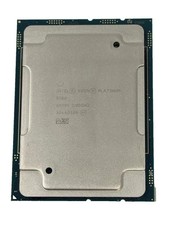
Intel Xeon Platinum 8268 2.9GHz 24-Core FCLGA3647 Processor | SRF95
$119.99

Intel Xeon E5-2690 v4 SR2N2 14 Core 2.6GHz 35MB LGA2011-3 CPU *km
$15.99

For Parts - Lenovo ThinkServer TS460 Part Number: 70TT-0020UX
$149.99

Dell Precision T1700 Workstation Intel Xeon 16G Ram 256GG SSD Nvidia 600 Win 10
$109.99