

 Reply With Quote
Thank you for sharing your good work.
I will test this in my own remaster and give you some feedback.


I am developing a remaster of Knoppix with some games, and I called it LLGP.
In this kind of live distro, is very useful accelerated 3D driver. I worked to include Nvidia drivers, and I had an idea.
It's known that nvidia drivers use their version of libGL, that is in conflict with OpenGL, and this is my solution in brief.
I putted opengl files in a new directory: "/KNOPPIX/usr/X11R6/lib/libGL". In /KNOPPIX/usr/lib, /KNOPPIX/usr/X11R6/lib and /KNOPPIX/usr/X11R6/lib/modules/extensions I putted links to files in /KNOPPIX/usr/X11R6/lib/libGL. Then I created the directory "/KNOPPIX/usr/X11R6/lib/libGL.nvidia" where are placed Nvidia GLX files. Other files, like kernel module and xfree module are not in conflict so they are in the usual directory.
I modified also "/KNOPPIX/usr/sbin/mkxf86config", and $XMODULE="nv", it does some operations: it sets $XMODULE to "nvidia" and does "mount --bind /KNOPPIX/usr/X11R6/lib/libGL.nvidia /KNOPPIX/usr/X11R6/lib/libGL", so now all link to libGL in /usr/lib points to the Nvidia GLX files.
It's only a brief, it's a little more complex, but this is the idea, and it works! I prepared a patch for LLGP, and you can find it at http://tuxgamers.altervista.org/llgp...php?tg_lang=en. With some modifications it will be used also on Knoppix. Download the patch to see my work.
I don't know if this idea will be used on Knoppix, but it may be used on some remasters.
Thank you for sharing your good work.
I will test this in my own remaster and give you some feedback.
Can you go step by step ?
Say I am chroot'ed in my remaster do I need to mkdir llgp_nvidia_patch ? Where do I need to create this directory?
"the iso of LLGP 0.0.1, that must have the name "llgp_it-0.0.1.iso" Is this ISO created by the script?
Ok I am in the directory llgp_nvidia_patch I type "./install"
My remaster will be llgp_it-0.0.1+Nvidia_patch.iso? Correct?
The script is for who downloaded LLGP (my remaster), doesn't know anything about remastering and wants to apply my patch to LLGP.
If you want to use my solution on your knoppix remaster, you can download the patch, extract files and examine the file patch.tar.gz in the directory llgp_nvidia_patch. This file contains all modified files from LLGP 0.0.1 "vanilla": a kernel module compiled for 2.4 kernel of knoppix 3.4 (first download release), my changes in /usr/sbin/mkxf86config, changes in /usr/lib, /usr/X11R6/lib , some config files and other.
Probably you have to examinate file patch.tar.gz and fit to your remaster.
I developed 2 .deb packages to install the drivers on a knoppix remaster. I will insert them on the next version of LLGP, but I don't know when I will release it.
The first is a mod of xf86config-knoppix, the second installs Nvidia drivers without conflicts with mesa-gl libraries, so they can be activated by the first package if a nvidia card was found during the boot.
In /usr/src/nv are installed sources for Nvidia kernel module, and you have to compile them manually after the install on your remaster.
I tried to install them on my remaster, and seems that there are no troubles during install or removing (I resolved also a problem with ldconf), but you have to check them before install (They are my 1st deb packages). You use them at your own risk and peril!
I have not yet tested the packages on a running cd, so if you'll try to use them please tell me if they runs, and please give me some suggestions!
Download them from http://tuxgamers.altervista.org/pack...0.1-1_i386.deb and ftp://tuxgamers.altervista.org/packa...111-1_i386.deb (my host doesn't like direct links to files from other pages, so probably you have to copy the links on the address bar and press enter)
I'm sorry, but I found a big bug on my method.
The module "nv" is not only for nvidia video cards, but is a generic vesa driver.
I have to modify "/usr/share/hwdata/Cards", and set nvidia instead nv only for nvidia chipsets.
The files are no longer available, i will release a fixed version as soon as possible.
I built 2 new packages (llgp-nvidia doesn't need changes). You can find them, with a brief explain here!
 Posting Permissions


Western Digital HUS726T4TAL5204 4TB 7.2K SAS 12Gb/s 3.5" 512e HDD NetApp X375A
$64.00
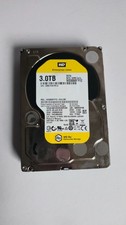
WD Re 3TB Enterprise 3.5" HDD SATA 6Gb/s 7200RPM 64MB Cache
$70.00

HGST Ultrastar HUS726040AL5210 4TB 7200RPM SAS 12Gb/s Enterprise HDD
$41.00

Seagate ST8000NM0075 Enterprise Capacity 3.5 HDD 8TB SAS Hard Drive 8TB EXOS
$184.99

Dell ST6000NM0034 1HT27Z-150 NWCCG 6TB SAS 3.5 7.2K ENTERPRISE SERVER DRIVE
$68.99
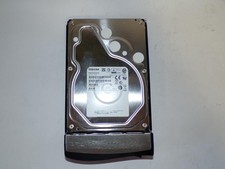
Toshiba MG03ACA400 4TB 7200 RPM SATA 6.0Gb/s 3.5" Enterprise HDD (V6313)
$61.56

Seagate Barracuda ST1000DM003 1 TB SATA III 3.5 in Desktop Hard Drive
$23.99
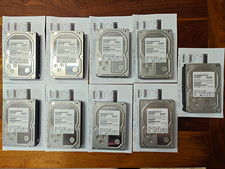
Hitachi Ultrastar 3TB 7200RPM 3.5in SATA III 6Gb/s - enterprise-grade hard drive
$49.00

DELL 2TB Enterprise HDD (7200RPM, 3.5", SATA III, 128MB Cache) HUS722T2TALA600
$49.95

HDD 3.5" SATA Hard Drive with Windows 10/Win 11 64x Installed Legacy
$35.00