
Since laptop have usually 1 cd-rom, is it possible to install ISP like netzero peoplepc, by using the CD in which they come? What I have to do?
thanks


Since laptop have usually 1 cd-rom, is it possible to install ISP like netzero peoplepc, by using the CD in which they come? What I have to do?
thanks
What kind of ISP-Software is that?
Is it a cd with silly win-logos? If not and no 'linux'-folder is on the disk: no.
If the isp isn't using some selfcooked protocol, you may set up everything by hand.
Normally you need the dialin-number, username, password, optional mail-settings (pop3, smtp/ imap).
Do you use a internal/ external modem? Manufactor? Port: serial? DSL-modem?
DNS-Server is nice to have...
So whats the answer to the thread? Can you install something off a CD? And how to do something like that, given that there is only 1 CD drive?
I tried unmounting, it said no can do, busy.. I tried force ejecting, didnt work.. I yanked the cd drive out, plugged it back in, eject now workedbut couldnt mount, cause it wanted knoppix cd again, and when I inserted it again, it wouldnt remount it, and things just went south from there, ending in me pushign the reset button
1. I never got NetZero to work with Linux. In fact, when I checked, their web page specifically said that it did not support linux. Problem with NetZero, Juno, AOL and the other mainstream dialups is that they have their own proprietary shells for running, and if they don't write them for Linux, you're stuck.
2. Easiest thing would be to boot from an ISO image using the bootfrom= cheatcode. If you downloaded knoppix for burning to a CD-R, you may still have the ISO file on your HD. If so, integrate the bootfrom= cheatcode into your startup at the boot prompt. E.g., if your ISO is at hda2, and you're installing the 2.6 kernel, restart with CD and type 'knoppix26 bootfrom=/dev/hda2/k*.iso" at the boot prompt. Better yet, save the compressed image to a non-NTFS partition, and use the "tohd" and "fromhd" cheatcodes. If you do either, you can remove the Knoppix CD after booting, and use your CD drive for whatever you wish. I did a step by step in the to/fromhd cheatcodes in a recent thread, which may help. You may also want to set up a persistent home and save configuration, so that what you install will stay there. http://www.knoppix.net/forum/viewtopic.php?t=11856
hth
jd
 Posting Permissions

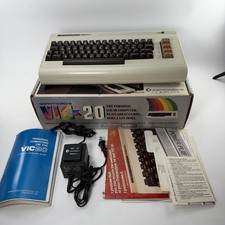
1980's Commodore VIC - 20 Computer with Original Box and Manuals POWERS ON
$99.95

Pi1541 Zero with Epyx Fastload Hat, Case & 16gb SD for Commodore 64 and 128
$79.99

TeensyROM+ TR+ v0.4 Cartridge for C64/128 - w/ Case & 32GB SD Preloaded
$89.50

Commodore 64 Dead Test & Diagnostic Cartridge & Test Harness Set - USA seller
$39.99

SOLD AS IS Lot of 5.25" Floppy Disks w/ Games & Software? Commodore 64 Atari 800
$59.99
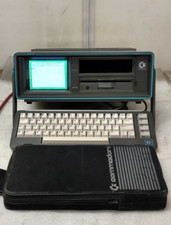
Commodore SX-64 Personal Computer
$600.00

Commodore 1541 Emulator PI1541 HAT with ROTARY, OLED screen, USA Seller
$29.99

Commodore 64 Serial Cable 6PIN DIN 1541 1571 C64 128 C128 Disk Drive Printer USA
$10.49
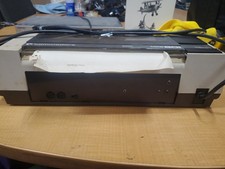
RARE Commodore MPS801 Printer - 1st printer for the 64 - powers on
$70.00
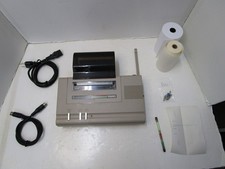
COMMODORE 1520 PRINTER PLOTTER FOR C64 64C +4 C128 TESTED & WORKING LX51 🖨️⎙
$149.99

 Reply With Quote