

 Reply With Quote
Open a root shell and:Code:apt-get --purge nis


It is taking forever to boot my computer because ypbind................
comes up. How do I shut this off?
Open a root shell and:Code:apt-get --purge nis
$ /etc/init.d/nis stop
$ update-rc.d -f nis remove
As root ...
Thnaks guys. I used Kelmo's method sucessfully.
Excellent advice from kelmo. I just noticed an error in my previous post, and after I edited it, don't know what I was thinking.
Should be:I think renaming nis as root, to something like off-nis, in init.d would have also done the trick. Easy to turn back on, simply rename back to nis. I believe I read this tip, or something like it, on the Debian website.Code:apt-get remove --purge nis
I'm new and wanted to remove nis too, but I used DuckDodgers method, I couldn't figure out Kelmo's method out.
 Posting Permissions


16GB KIT (2x8GB) DDR3 Gamer Desktop RAM PC3 MIXED BRANDS VIPER VENGEANCE FURY
$10.00

Netac DDR4 32GB 16GB DDR4 3200MHz UDIMM C16 Desktop Internal Memory RAM Kit
$99.99

Major Brand 16GB (2x8GB) PC3-12800U DDR3-1600MHz DDR3-12800 DESKTOP RAM NON-ECC
$29.99
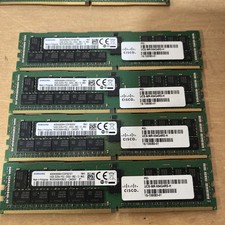
Samsung 64GB PC4-2666V-R 2S2Rx4 DDR4 ECC REG RDIMM - M393A8K40B22-CWD6Y
$270.00

A-Tech 8GB DDR3 1600 PC3-12800 Laptop SODIMM 204-Pin Memory RAM PC3L DDR3L 1x 8G
$21.68

DDR4 Laptop RAM 4GB 8GB 16GB 32GB 2400 2666 3200 Samsung Hynix
$66.00

RAMAXEL Lenovo 32GB LPDDR5X CAMM2 7500MHz Laptop RAM | UNTESTED
$445.00
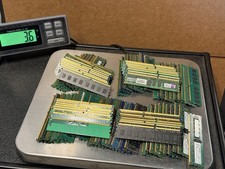
3.5 lbs Lot of Assorted Ram Memory Sticks Mixed DDR Gold Recovery Scrap Untested
$165.00
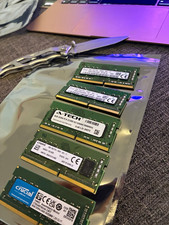
Lot of 5 - Mixed Brands 40GB (5x8GB) DDR4-2666 PC4-21300 SO-DIMM 260-Pin Non-ECC
$150.00
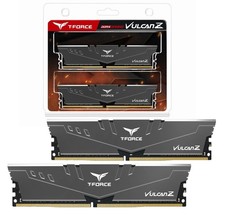
TeamGroup T-FORCE VULCAN Z 16GB (2 x 8GB) DDR4 3000Mz (PC4 24000) Desktop Memory
$188.00