

 Reply With Quote
Open a root shell and:Code:apt-get --purge nis


It is taking forever to boot my computer because ypbind................
comes up. How do I shut this off?
Open a root shell and:Code:apt-get --purge nis
$ /etc/init.d/nis stop
$ update-rc.d -f nis remove
As root ...
Thnaks guys. I used Kelmo's method sucessfully.
Excellent advice from kelmo. I just noticed an error in my previous post, and after I edited it, don't know what I was thinking.
Should be:I think renaming nis as root, to something like off-nis, in init.d would have also done the trick. Easy to turn back on, simply rename back to nis. I believe I read this tip, or something like it, on the Debian website.Code:apt-get remove --purge nis
I'm new and wanted to remove nis too, but I used DuckDodgers method, I couldn't figure out Kelmo's method out.
 Posting Permissions


Vintage Apple II Avant-Garde Creations Super Shape Draw And Animate 1981
$295.00

Apple Macintosh Classic M1420 Vintage Desktop Computer Model Macintosh Classic
$100.00
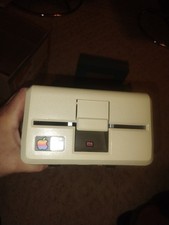
Vintage Apple III / External 5 1/4" Floppy Disk Drive A3M0004 - Untested
$120.00
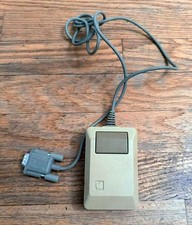
Vintage Apple Macintosh M0100 Mouse 128K 512K Original Untested USA
$49.99

Vintage Apple Macintosh Plus 1MB - M0001A W/ Keyboard, 2 Mice, 800K HD, + More
$300.00
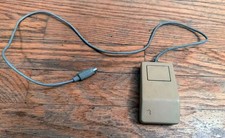
Vintage Apple Computer Inc. Mouse Model # A9M0331 Not Tested OEM Made USA
$26.99

LARGE LOT Vintage Apple Macintosh Mouse Cables Accessories SCSI etc - UNTESTED
$80.00

Vintage Apple Macintosh Plus Desktop Computer - M0001A
$150.00

Vintage Apple Multiple Scan 15av Display Monitor M4681
$299.99

Vintage Apple Monitor IIc 9" Green Monochrome 06/1985 A2M4090 October 1984 Stand
$275.00