

 Reply With Quote
DO AN UNMOUNT and you will be fine!
Just watch the Floppy size bondaries!


Dear Sir,
I haven't well knowledge in Linux. I have a doubt.
To modify boot.img, I done as follows
#mount -o loop boot.img /myfile (myfile is a directory)
Then i got de-compressed files like logo.16, miniroot.gz, boot.msg, vmlinuz etc
I modified these files. But, How can I convert (myfile) modified files back to boot.img
mail the answer to: [email protected]
DO AN UNMOUNT and you will be fine!
Just watch the Floppy size bondaries!
 Posting Permissions


Intel Core i5-12500T SRL5W 2GHz 18MB 6 Core Socket LGA1700 Desktop CPU Processor
$114.99

INTEL CORE I9-10940X X-SERIES PROCESSOR | 3.30GHZ | SRGSH
$179.99

Intel Core i7-4770 3.40GHz Quad Core SR149 LGA 1150 CPU Processor tested
$35.00
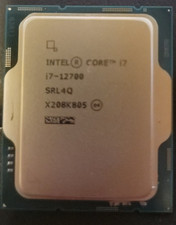
Intel Core i7-12700 12 Core X208K805 LGA 1700 AS IS
$99.99

Intel Core i7-9700 Octa-Core 3 GHz Desktop Processor LGA 1151
$79.99

Intel Core i7-3770K 3.5 GHz Processor
$39.00

Intel Core i7-7700K SR33A 4.20GHz 4-Core LGA1151 CPU Processor
$62.95

Intel Core I7-7700 SR338 3.60 Ghz Processor
$39.99

Lenovo ThinkCentre M920s SFF Barebones PC Motherboard PSU DVD No CPU RAM SSD
$27.99
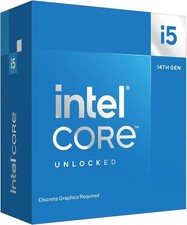
Intel Core i5-14600KF 3.5GHz 14-Cores LGA 1700 CPU Processor (BX8071514600KF)
$190.00