-
Senior Member
registered user
dcopserver
Installed knoppix to my hard drive. All went fine but when I log in to the KDE desktop I get an error message that tells me make sure dcopserver is running.
Any idea what this means? Anyone.
When the system is loading I notiiced that it says error when loading pci hotplug. Does that have anything to do with it.
-
Could be that it can't mount /home. Did you use an existing home partition? If yes, post your /etc/fstab
This is what I have as permissions in my home directory for DCOPserver:
lrwxrwxrwx 1 markus markus 39 Jul 12 10:44 .DCOPserver_fujibox_:0 -> /home/markus/.DCOPserver_fujibox__0
-rw-r--r-- 1 markus markus 58 Jul 12 10:44 .DCOPserver_fujibox__0
-
Senior Member
registered user
more help please
What would be the existing home partition?
I installed to a different partition that is 4.5 GB that was existing but unformatted.
-
I just thought that it could be a problem if you installed Knoppix but retained and old home partition from a previous install.
If that's not the the case all I can think of right now is:
Code:
su
chmod 1777 /tmp/.ICE-unix
-
Senior Member
registered user
reply
That is exactly what I did.
Where do I go to fix this with what info I've been given?
I didn't try the other yet.
-
For starters post your /etc/fstab
I had some trouble with the same thing a while back, IIRC I solved it by renaming ~/.kde and the ~/.DCOPserverfiles
-
Senior Member
registered user
reply
How is that done?
I'm new to linux and really don't know too much about it..
-
Do: cat /etc/fstab in a shell (monitor icon on the kicker in kde). Then highlight it with the left mouse-button and click the middle button here to paste it in.
For renaming files/directories do as user:
cd
mv .kde .kdeOLD
If you still have the knoppix generated home you can copy over the DCOPserver files to your current home partition. Probably easiest when running the cd so that you can see both homes.
-
Senior Member
registered user
reply
Can't get kde to run. Only when I run the CD. Is this okay? Will try.
-
I think I've misunderstood your /home partition thing. Could you go to your hdinstalls /home and post the output of: la .DCOP*
Similar Threads
-
By dave_sussex in forum General Support
Replies: 1
Last Post: 08-16-2004, 08:47 PM
-
By muckydevil in forum Hdd Install / Debian / Apt
Replies: 0
Last Post: 01-01-2004, 11:13 AM
-
By gnomeboy in forum General Support
Replies: 1
Last Post: 08-14-2003, 04:47 AM
 Posting Permissions
- You may not post new threads
- You may not post replies
- You may not post attachments
- You may not edit your posts
-
Forum Rules


Dell PowerEdge FX2s + 8x FC430 Blades 16x E5-2630v4 160 Cores Rails No PSU/RAM
$699.00

Dell PowerEdge FC430 Blade Server 2x Xeon E5-2630v4 20 Cores FX2 FX2s No RAM/HDD
$119.99

NETAPP HCI NAF-1701 SuperMicro Server 4X BLADE H410C 8X GOLD 5120 4 NODE SERVER
$1499.97

Dell PowerEdge M640 Blade Barebone Server Dell P/N: HHB006 Tested Working
$149.99
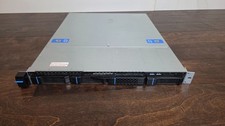
Datto S3P6000 4x 3.5" 1U Blade Rack Server Intel Xeon D-1541 @2.10GHz 48GB DDR4
$128.96

Datto S4P10 1U Blade Rack Server Intel Xeon D-2143IT 2.20GHz 48GB DDR4 4-Bay PSU
$197.76

Dell PowerEdge M630 Blade Server 2x Xeon E5-2680 v4, 2F3MP , 4GDP5 ,R10KJ ,JVFVR
$95.20

Dell PowerEdge VRTX 2.5"x25 Bay Blade Enclosure 4x1600W + 4X M640 (4X Blades)
$1599.99

Dell PowerEdge M620 Blade Server 2x Xeon E5-2680v2 2.8ghz 20-Cores | 128GB
$149.99

Dell Poweredge VRTX 25Bay 2.5" 2x PERC 8, 2xCMC, I/O 1GB Pass Through, 4x PS
$578.08



 Reply With Quote