

 Reply With Quote
Actually the size of the file is 767.7kb...
E-mail addr [email protected]
Ray


el_supremo;
Tried other encodings with no luck even when they did save the file,,,the result after gzip and burn CD gave a no-go.
I have a possible solution which requires your file of minirt.26.
If you could send the file by e-mail (767mb) in gz format, I could insert it into the CD burn.
Just a thought.......
Actually the size of the file is 767.7kb...
E-mail addr [email protected]
Ray
The file is small enough to put on a post, too?
After many exchanges via e-mail with el_supremo and numerous trials, the final CD burned today with USB2.0 enabled in the burned knoppix26 CD option of v3.4.
The hang-up in utilizing edits of the minirt26.gz file seemed to be the cloop.o version installed in my knoppix minirt26.gz file. After editing that exact minirt26.gz file from the knoppixLiveCD, the result was a good boot and USB2.0 enables file transfers at 17.9MB/sec.
The actual procedure is due to el_supremo because my use of his procedure did not produce the same result. Thus, I sent my file to him to edit and process and re-installed the result in a copied knoppixLiveCD file.
Mkisofs was then used to prepare the burn:
as ...su.....
mkisofs -pad -l -r -J -v -V "KNOPPIX" -no-emul-boot -boot-load-size 4 -boot-info-table -b boot/isolinux/isolinux.bin -c boot/isolinux/boot.cat -hide-rr-moved -o /root/knoppix.iso /root/CD. (spaces are important).
The destination for the .iso file is /root and the source file is /root/CD. The file size is in my computer is 687.9MB.
I am indebted to el_supremo for his support.
Could I inquire what was the final solution to this problem ?
I couldn't get mine to autodetect EHCI either..
The fix depends partly upon which USB2 device you are trying to use and which version of Knoppix you are using and how it is installed.
To load it manually each time after a reboot you can try typing the command:
modprobe ehci-hcd
in a root shell.
To have that driver automatically loaded during boot up requires that you modify the linuxrc file in the minirt##.gz (## = 24 or 26).
Best Wishes
Pete
 Posting Permissions


🔀 Juniper Networks EX2300-C-12P 12× Gigabit PoE+ • 2× 10G SFP+ Compact Switch ⚡
$119.00

Juniper EX2300 12-Port Gigabit PoE+ Managed Network Switch P/N: EX2300-C-12P
$149.99
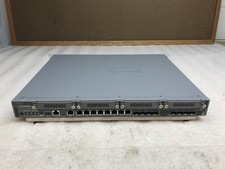
Juniper Networks SRX340 16x1GbE Ports Service Gateway Security Appliance W/ Ears
$79.99

Juniper Networks EX2300-48P 48-Port Gigabit PoE Managed Ethernet Switch
$79.99

Juniper SRX320 8-Port Security Services Gateway Appliance w/ AC Adapter
$59.99

Juniper EX2300-C-12P POE+ Switch 12 x 1GbE & 2 SFP+ 10G uplinks
$124.99

New Sealed Juniper EX4100-F-12P 12x 1GbE PoE 2x 10GbE uplinks 1 Year Warranty
$895.00
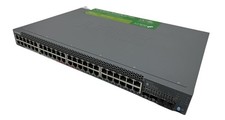
Juniper Networks EX2300 (EX2300-48P) 48 Ports Ethernet Switch
$249.99

JUNIPER NETWORKS MIST AI AP63-US HIGH PERFORMANCE OUTDOOR ACCESS POINT - WHITE
$59.99
Juniper EX3400-48T Ethernet Switch, 12-Port, Gigabit, Rack Mount
$184.99