-
Junior Member
registered user
One way to get the Win XP partition to auto mount after boot up is to first mount it, then through the K menu go to Knoppix, Configure, and Save Knoppix Configuration. Click on what you want to save in the menu. To have the configurations restored when you reboot, you have to edit LILO. There are instructions after you create your configuration. Hope this helps.
Similar Threads
-
By sunburnt in forum General Support
Replies: 1
Last Post: 04-12-2005, 12:22 AM
-
By psycofirek in forum General Support
Replies: 2
Last Post: 06-15-2004, 05:25 PM
-
By talismand in forum Hardware & Booting
Replies: 11
Last Post: 09-21-2003, 03:01 PM
 Posting Permissions
- You may not post new threads
- You may not post replies
- You may not post attachments
- You may not edit your posts
-
Forum Rules


Seagate ST1000VM002 1TB 5900RPM 3.5" SATA 6GB/s HDD Video Hard Drive PC DVR
$24.99

Samsung T9 1TB External Portable SSD MU-PG1T0B -2000MB/s - Black
$179.00

Samsung T7 Shield 1TB Portable External SSD USB 3.2 Black MU-PE1T0S NEW SEALED
$219.99

Predator Gaming Laptop RTX 3060 32GB RAM i7 1TB
$650.00
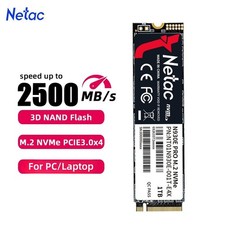
Netac 1TB M.2 2280 Internal SSD PCIe Gen3.0x4 NVMe Solid State Drive PC Laptop
$129.99

Acer Aspire 14" AI Copilot+PC Laptop Core Ultra 5 226V Gen 4 ARC 16GB 1TB Refurb
$438.51

1TB 2.5” SATA Laptop HDD Hard Drive Mixed Brand Tested Working Lot🔥🔥
$24.50

Acer Aspire 16 16" Laptop Core Ultra 5 226V S2 16GB RAM 1TB SSD Arc Refurbished
$533.51

Dell Latitude 14" Laptop Computer Intel i7 Up To 32GB RAM 1TB SSD Windows 11 Pro
$429.73
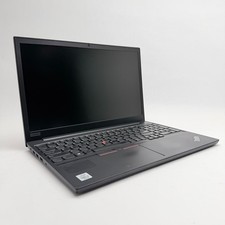
Lenovo Thinkpad E15 15.6" Laptop i5/i3 8GB RAM Up to 1TB SSD HDD Tested Working
$136.55



 Reply With Quote