

 Reply With Quote
I have the same problem. I'm not sure why this happens, but sometimes if I put in a data CD into the drives before I reboot, I am able to mount the drives. The problem is, sometimes it works, sometimes it doesn't.


As the topic says, they aren't working and I don't know why.
This is all that I have done before I noticed this.
apt-get update and upgrade, did a distro upgrade.
removed ypbind with help from the forum
adjusted lilo to boot windows first
adjusted the apt-get sources.ist so I only get stable and java.
I am a newbie for sure, I am just starting out and got the hang of apt-get.
During the auto config knoppix says it sees my cd-roms.
Thankyou for any help, with out knoppix I would never try learning Linux.
Drezliok
I have the same problem. I'm not sure why this happens, but sometimes if I put in a data CD into the drives before I reboot, I am able to mount the drives. The problem is, sometimes it works, sometimes it doesn't.
What errors are you getting when you try to mount?
It could be something in your fstab I guess.
it says "Unable to run the command specified. The file or folder file:/mnt/cdrom does not exist."Originally Posted by Jez
um, I didn't know what fstab was so I Manned it[ if thats a term for "man fstab"]
Here is the file.
Oh, can anyone also help me make it so it will auto mount my windows drive, hda1 when the system boots?Code:# /etc/fstab: filesystem table. # # filesystem mountpoint type options dump pass /dev/hdb1 / ext3 defaults,errors=remount-ro 0 1 proc /proc proc defaults 0 0 /dev/fd0 /floppy vfat defaults,user,noauto,showexec,umask=022 0 0 usbdevfs /proc/bus/usb usbdevfs defaults 0 0 sysfs /sys sysfs defaults 0 0 /dev/cdrom /cdrom iso9660 defaults,ro,user,noexec,noauto 0 0 /dev/cdrom1 /cdrom1 iso9660 defaults,ro,user,noexec,noauto 0 0 /dev/dvd /dvd iso9660 defaults,ro,user,noexec,noauto 0 0 /dev/cdaudio /cdaudio iso9660 defaults,ro,user,noexec,noauto 0 0 /dev/cdrom1 /mnt/auto/cdrom1 auto users,noauto,exec,ro 0 0 # Added by KNOPPIX /dev/hda1 /mnt/hda1 ntfs noauto,users,exec,ro,umask=000 0 0 # Added by KNOPPIX /dev/hdb2 none swap defaults 0 0
Thankyou all for the help.
One way to get the Win XP partition to auto mount after boot up is to first mount it, then through the K menu go to Knoppix, Configure, and Save Knoppix Configuration. Click on what you want to save in the menu. To have the configurations restored when you reboot, you have to edit LILO. There are instructions after you create your configuration. Hope this helps.
I think there might be another way that is directly related to the fstab and the fixing there of. I'll try your way later.
I have found that sometimes Knoppix doesnt' make the /mnt/cdrom directory when it should and sometimes fails to properly include everything in /etc/fstab.
If you have done your HD install 'Debian style', you should only have to mkdir the missing directory and/or edit fstab to your liking (perhaps to auto mount drive at boot) & it should stay that way.
If you have done you HD install "Knoppix style", it will try to autodetect & write a new fstab each boot. The way around this is boot code 'nofstab'. Add it to the list of appends in /etc/lilo.conf then re-run lilo.
Addition information on my computer can be found here.
http://www.gaiaonline.com/forum/viewtopic.php?t=3033939
I got some tech help there but I'm not sure what it means yet, more research on my part.
The cdroms are in debian under / and not /mnt. Looks like the desktop icons are still faulty, so you might as well delete them or change them later. Then do:
.. to find out the device name. For me they are:Code:dmesg|grep cd dmesg|grep sr dmesg|grep scd
/dev/sr0 /cdrom iso9660 defaults,ro,users,noexec,noauto,uid=markus,gid=mar kus 0 0
/dev/sr1 /cdrom1 iso9660 defaults,ro,users,noexec,noauto,uid=markus,gid=mar kus 0 0
You don't have to have uid and gid.
After you have the right devices in fstab create new desktop icons, or change the old ones to the new devices.
EDIT: Just remembered that you only have stable in sources.list which might make it a bit difficult to install any software since knoppix is a mix of testing and unstable.
I think it was Debian style. any way to check?
 Posting Permissions


TP-Link 5-Port Gigabit Unmanaged Ethernet Switch Network Expansion TL-SG105
$19.95

5Ports Gigabit Network Switch w/ 4 PoE+ Ports Total 52W each port 30W Plug&Play
$31.99
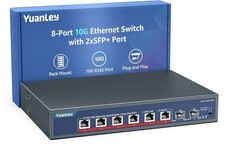
YuanLey 8-Port 10G Ethernet Switch, 6 x 10Gbps RJ45 Ports, 2X 10Gbe SFP+ Ports
$149.99

Cisco Catalyst 2960-48TT-L 48-Port Fast Ethernet Managed Rackmount Switch
$46.99

TP-LINK TL-SG108 8-Port Gigabit Unmanaged Desktop Switch RJ-45 New in Box
$23.99

Netgear PROSAFE 8-Port 10 Gigabit/Multi-Gigabit Ethernet Switch XS508M
$229.99

Linksys 8-Port Managed Gigabit PoE+ Switch 110W w/ 2 Uplink Gigabit - LGS310MPC
$49.05

Arista DCS-7010T-48-R 48P 1GbE 4P 10GbE SFP+ RA Switch with rack mounts
$69.00

10-Port Gigabit PoE Network Switch with 8 PoE+ Ports with 2 Combo SFP Slots 125W
$39.99

NETGEAR 5-Port Gigabit Ethernet Unmanaged Switch (Gs305) - Desktop Quiet Fanless
$22.00